Factory cameras
See live cameras alongside machine status
Connect compatible cameras and recorders, organise them by area, and open live views from the factory plan or a camera grid. Keep playback permissions and history in Prodex.
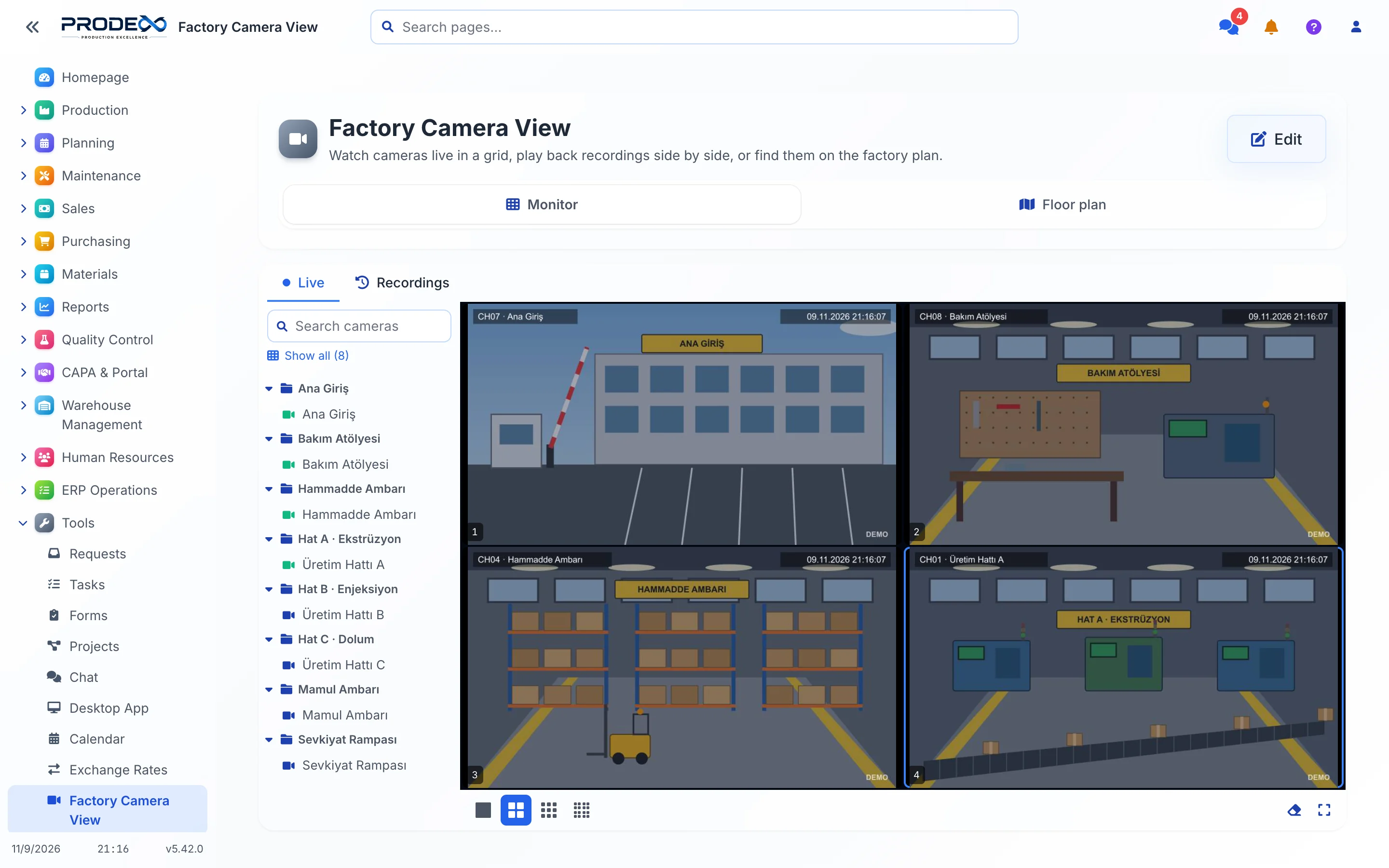
Interactive example
Explore the factory from its floor plan
Hover over a machine to see its status, or a camera to view that area. On a phone, tap to select.
Illustrative machine values and generated camera images. This example is not connected to a factory.
Set up a view for each area
Use one, four, nine or sixteen live tiles with HD where supported. Place cameras and machines on the factory plan so a viewer can open a feed next to its machine status. View cameras on the web, desktop or mobile app, or put a native camera wall on a TV.
Review a recorded event with the right permissions
With a compatible recorder and playback permission, review up to four cameras on one timeline. Jump to the time you need, take a snapshot or export a clip. Prodex logs playback access. TV playback is available when enabled for the installation.