Shop floor
Fits the way your shop floor works
There is no single right setup. Some plants want a screen at every machine, others one terminal per line, scanners in the warehouse or simply the phones people carry. Prodex works the same on all of them, and connects to the hardware that measures and signals.
Where people enter data
Choose per area, mix as you like
A terminal at each machine
A touch screen opens straight on its machine: counter, entries, labels and calls without choosing anything.
Shared terminals
One screen for a line or a hall shows every machine as a card; the operator taps theirs.
Handheld scanners
Transfers, counting, dispatch and pallets scanned on rugged handhelds in the warehouse.
Phones and tablets
The iOS and Android app carries the same machine screens, calls, stops and stock as the terminals.
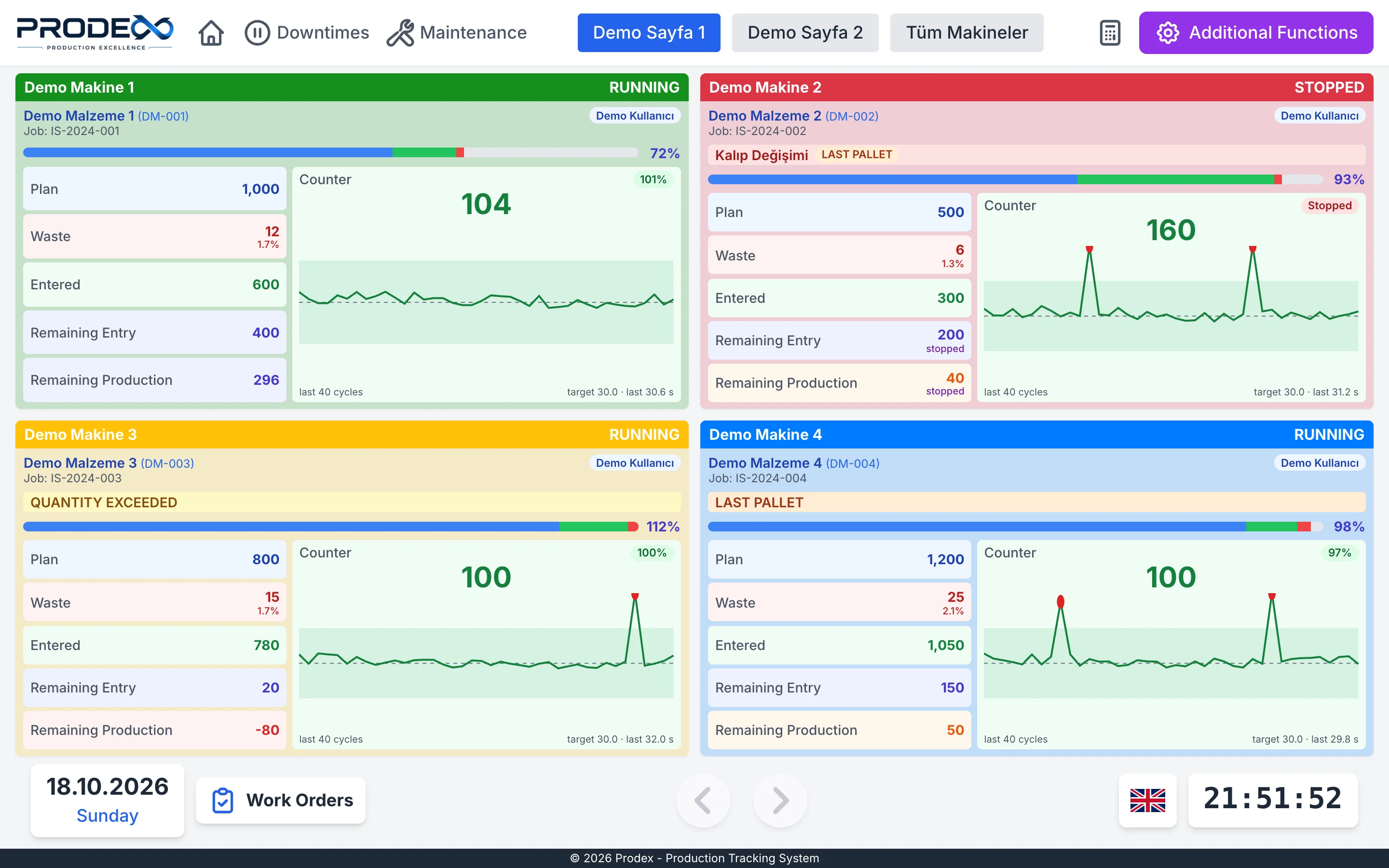
Every machine as a live card
Plan, scrap, entries and the counter, the last cycles against the target, open calls and waiting quality checks. The screens adapt from a 10 inch tablet to a 55 inch monitor, and to a phone.
- Badge sign in, so every entry has a name
- Machines grouped by hall, page by page
- Language chosen per terminal
Connected hardware
What Prodex listens to and switches
Signals come in over the network, mostly MQTT, and Prodex sends back what lamps and scales need to know.
Counter modules
Industrial I/O modules or network relay boards count every cycle. Boards are configured and updated from Prodex.
Stack lights and lamps
Outputs follow the machine: running, stopped, no work order, an open call, or a blink on every cycle.
Call buttons
A button per team on the machine starts a call that rings on the phones of the people on duty.
Badge readers
RFID badge sign in at the terminals, so every entry and every call carries a name.
End of line scales
Scale stations weigh every piece against the item's limits and light green or red.
Label printers
Carton, pallet and material labels printed as PDF from your own templates, on the printer you choose.
Factory cameras
Cameras placed on a floor plan of the plant, next to the machines they watch.
TV screens
Android TVs with the Prodex TV Agent show boards and designed screens.
Scale stations
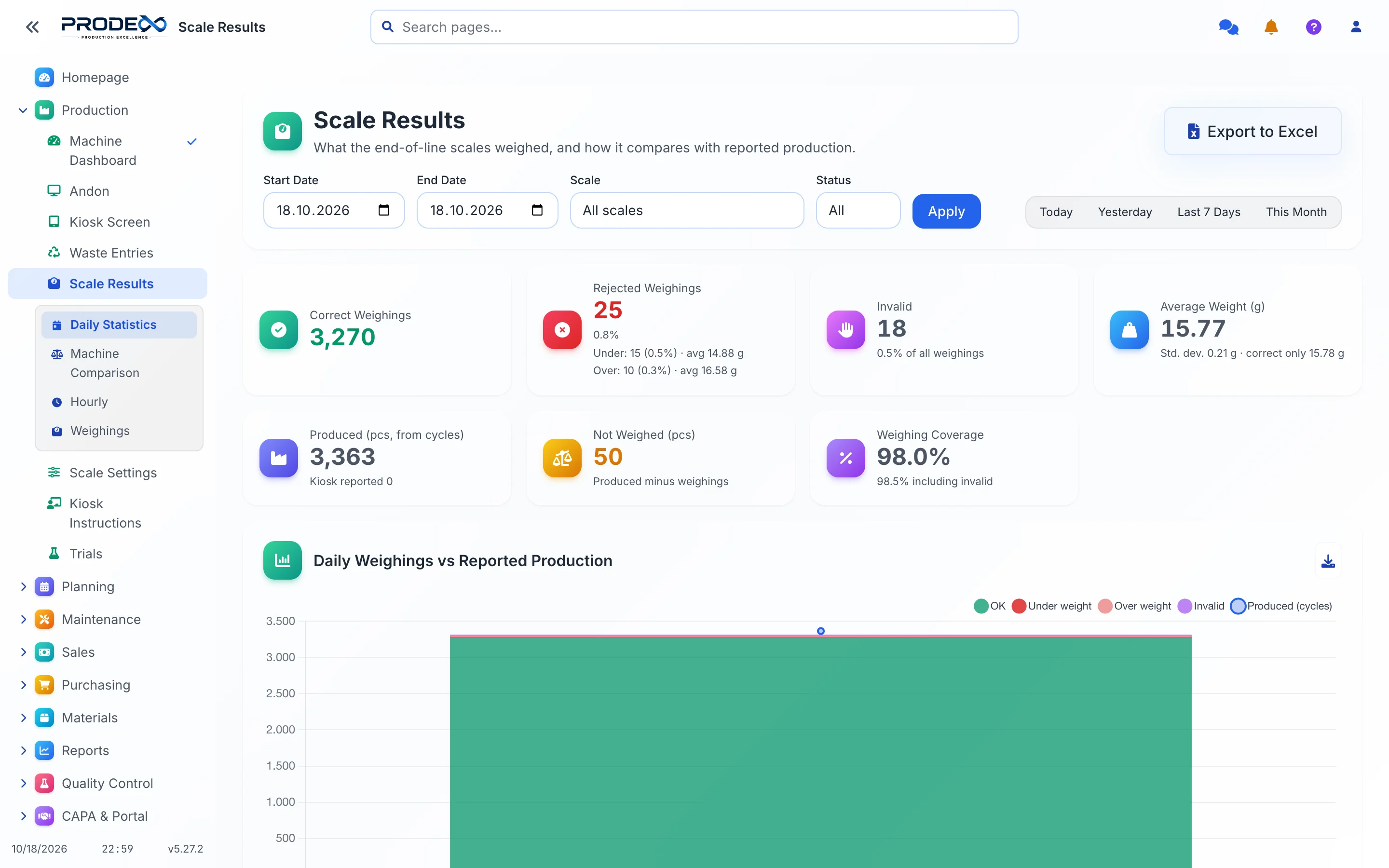
Every piece weighed, every weighing judged
Stations at the end of the line receive the limits of the item the machine is running. Prodex compares the weighings with what the machine produced, hour by hour.
- Under and over weight shown apart, with the average piece weight
- Coverage: how much of the production was really weighed
- Stations keep weighing when the network drops and catch up later
Factory cameras
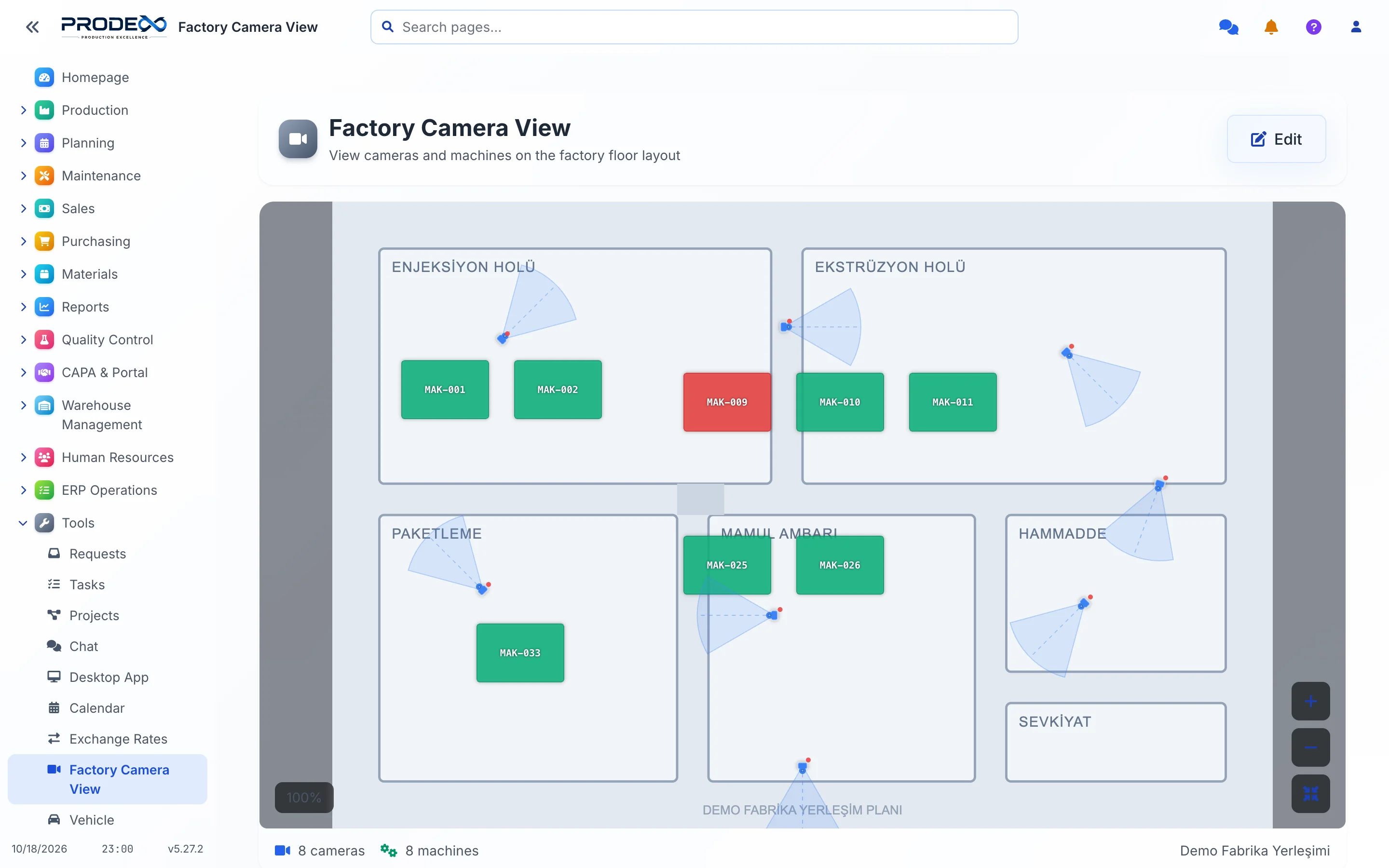
See your plant as it is laid out
Draw your plant once, place machines and cameras on it, and open any camera from where it hangs. Machine colours show their live state.
See Prodex with your own production
In a 30 minute online demo we go through your lines, your products and the reports you need.