Planning that adapts when things change
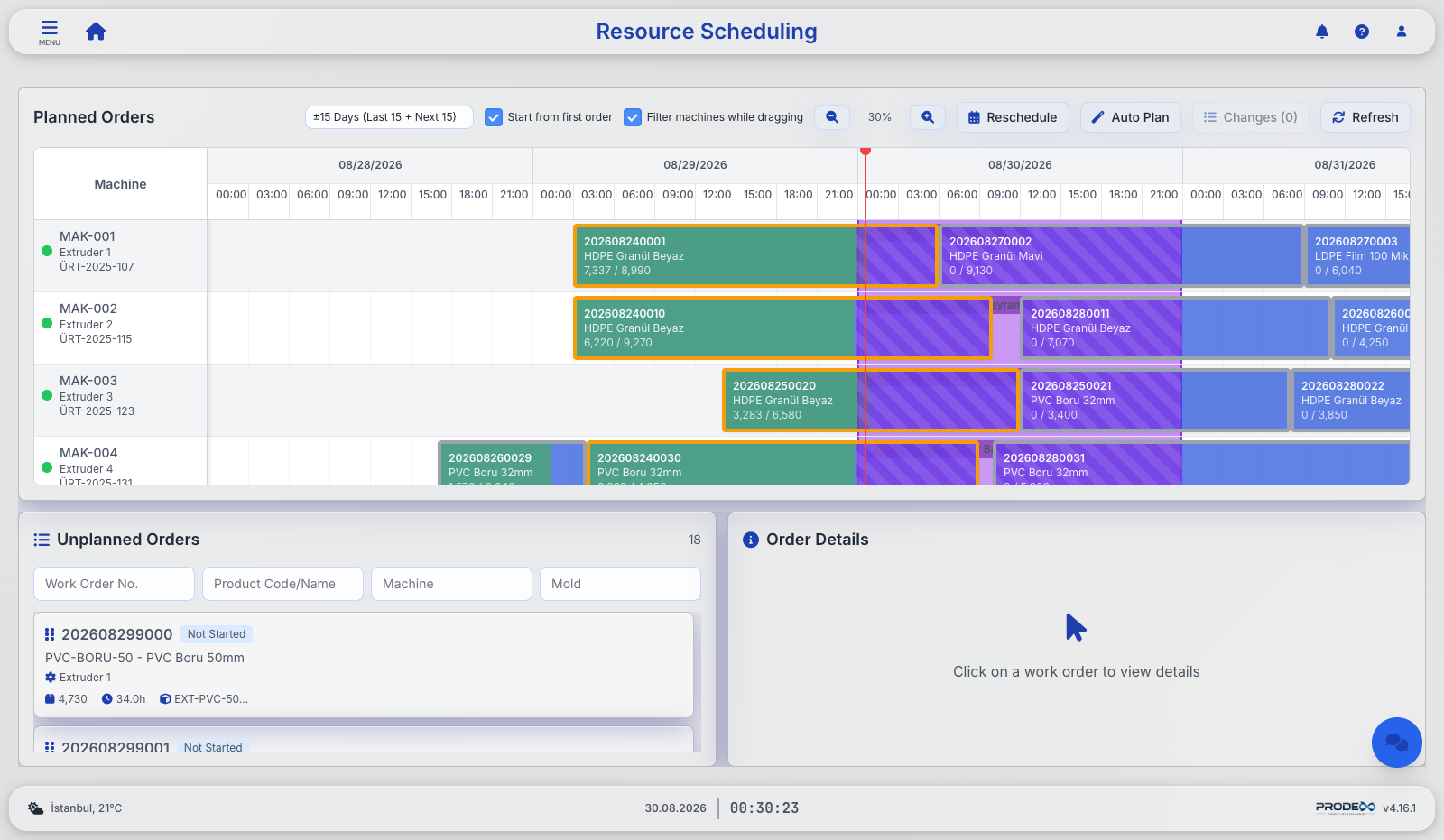
Prodex drafts the schedule for you, and you plan work orders across resources and time on an interactive Gantt. Resource suitability, collisions, working calendars and maintenance windows are all checked automatically — and nothing is saved until you approve it.
Drag & drop scheduling
Pull unplanned orders onto any machine, reschedule across time and machines, with suggested alternative slots when plans collide.
Constraint-aware
Compatibility between a work order and the production resource is checked as you plan, and working calendars, shifts, holidays and maintenance windows all feed into the duration calculation.
Bulk reschedule
Reposition the entire board in one action — considering realized progress, machine status and the holiday calendar — with batched saving and progress tracking.
Shop-floor work plan
A read-only Gantt for the floor: live machine status, dual-color realized-vs-planned bars, a red "now" line and rich tooltips at any zoom.
Material requirements
Explode the plan through BoMs per day or shift, compare against warehouse stock and flag every line: sufficient, transfer needed or insufficient.
MRP
From open sales orders to a ranked materials-to-order list with lead times, order-by dates and urgency levels — critical to low.
Maintenance windows included
Planned maintenance blocks a machine exactly like a holiday — for its real window, not the whole day. Orders start after it or stretch across it, in drag & drop, reschedule and Auto Plan alike.
Change reports & ERP sync
Every planning action produces an old → new change report with Excel download, a Changes button lists pending edits before saving, and machine moves are written back to the ERP.
Live order states
Running orders green, stopped red, and the honest cases in amber: "should be running — idle", "should be running — delayed" and "delayed — window passed".
Let the system draft the schedule
Auto Plan schedules every open work order in seconds, within the constraints and resource availability you have defined. The proposal is put in front of you for review and approval before a single row is saved.
- Forward or backward — start everything as soon as possible, or as late as possible while still meeting due dates within a tolerance you set
- Machine rebalancing — untouched orders can be moved to a compatible machine when it makes the whole plan better
- Holidays and maintenance are respected across the entire horizon, not just the part on screen
- Preview, then commit — results open as a change report; nothing is written until you approve it
- Targeted reschedule — pick the machines to recalculate instead of reflowing the whole board
Turn open orders into production, correctly
One screen lists every open sales-order line that still needs production and creates the work orders in your ERP — with the quantity question already answered.
- Stock-aware quantities — available stock is shared out across lines by closest due date, and reservations release automatically when an order closes or ships
- Produce in full — untick "use stock" on a line and its share is instantly redistributed to the other lines of the same item
- Flexible quantities — order quantities are converted automatically into production, packing and shipping units
- Material availability — see what production actually needs, with current stock and open purchase orders taken into account
- Resource and recipe selection — choose the recipe, machine and other production resources for the order according to your own rules
Rework work orders
Create separate work orders for customer returns and rework. Prodex tracks the quantity still to be reworked against the return documents in your ERP and the existing production history, and records consumption and output so the whole cycle stays traceable.
Request a DemoFrom plan to the shop floor
- Work-order board grouped by machine with BoM viewer and live stop badges
- Standard production documents — turn plan and work order data into PDFs in your own company formats
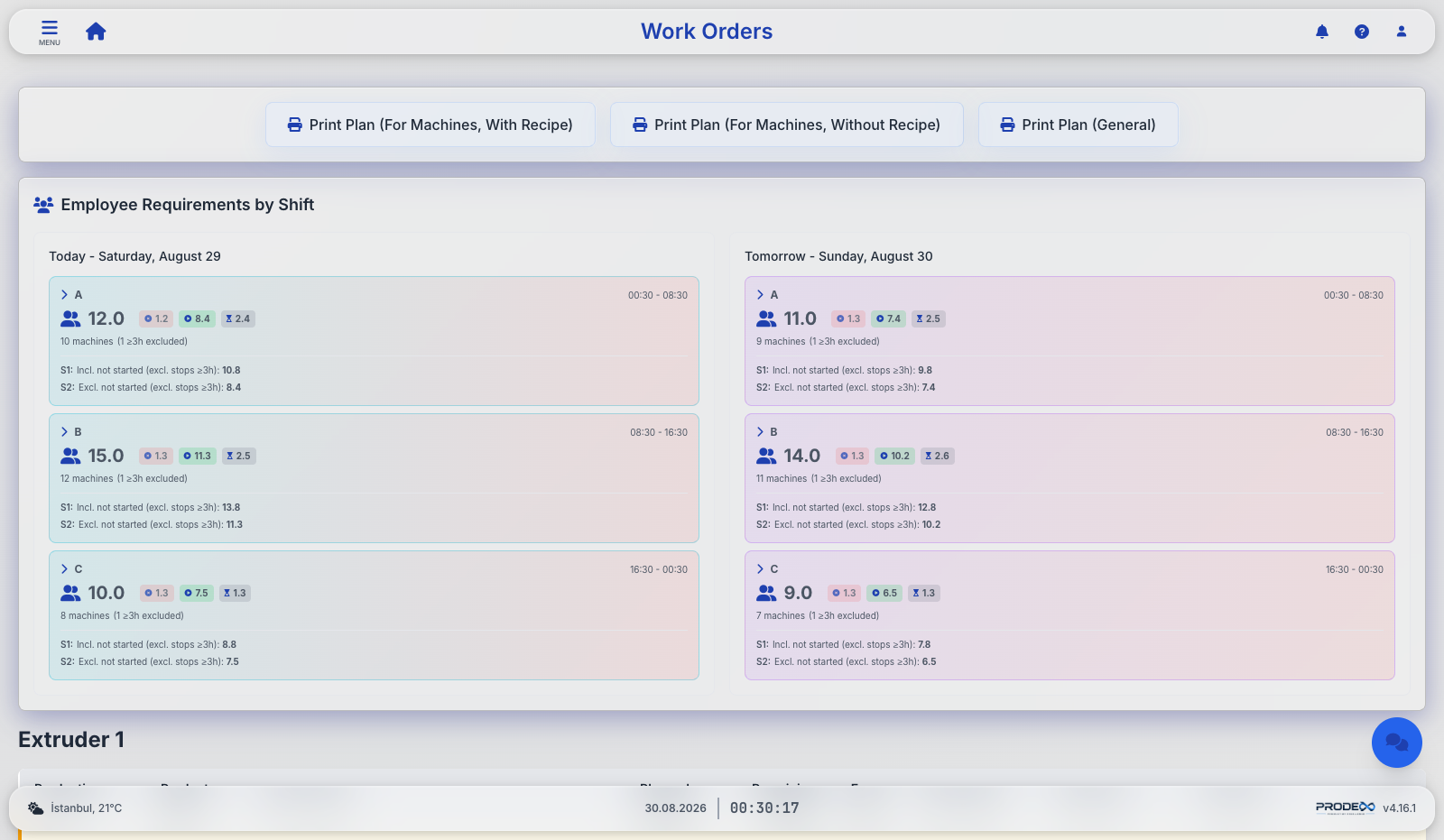
- Shift staffing calculator — employee requirements for today and tomorrow under multiple scenarios
- Holiday planning — production, shipment or both; full or semi-work with per-machine selection; feeds OEE capacity math automatically
- Plan-gated starts — a machine refuses to start a work order that was never scheduled, so nothing can run invisibly outside the plan
- The plan on the floor — operators open the same schedule on the kiosk as a touch list or a zoomable timeline with a now line
Ready to see Prodex on your own lines?
Get a guided demo with your own production scenarios — on-premise, with your ERP, in your language.