Your factory, in your pocket
Answer an andon call, classify a stop, check stock, reschedule an order, approve a purchase — all on the phone already in your pocket, in your own language.
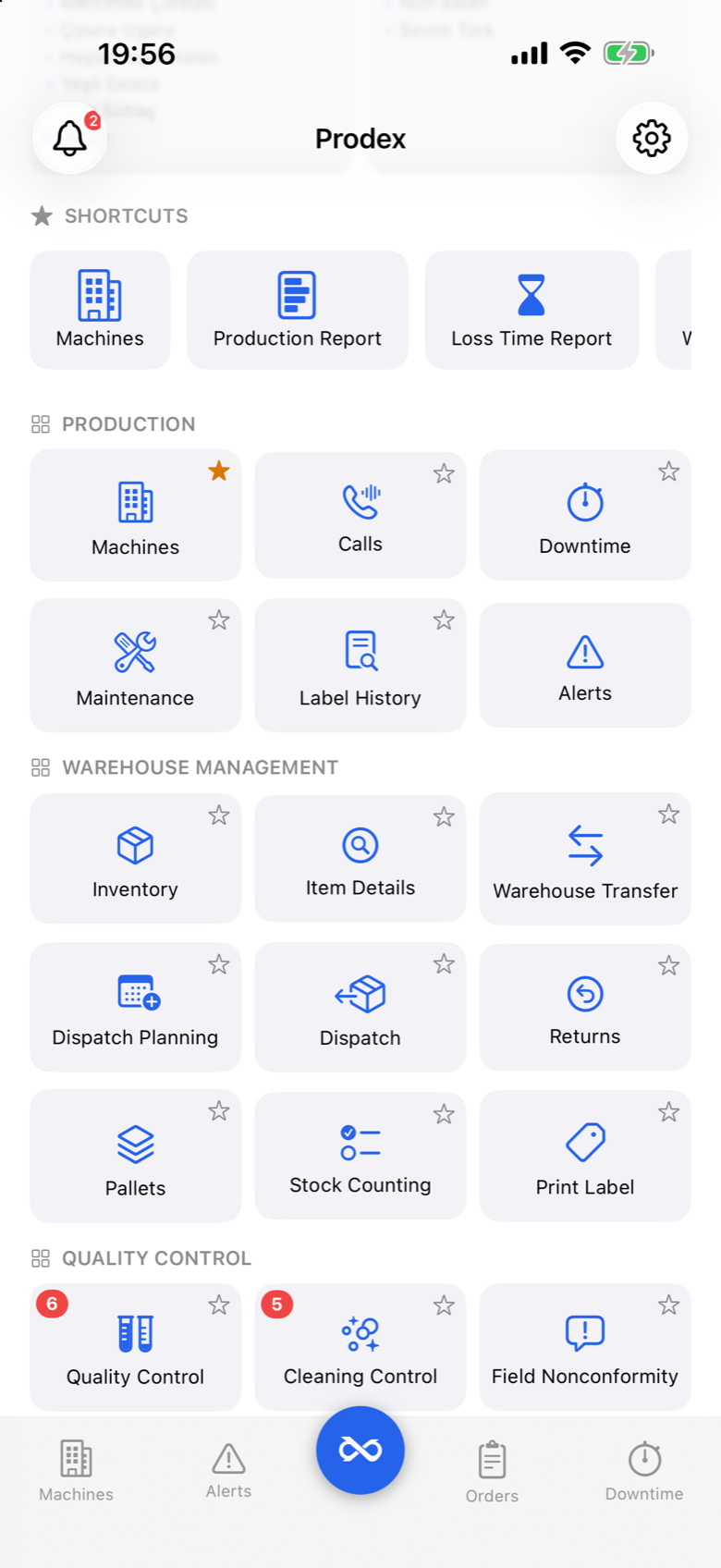
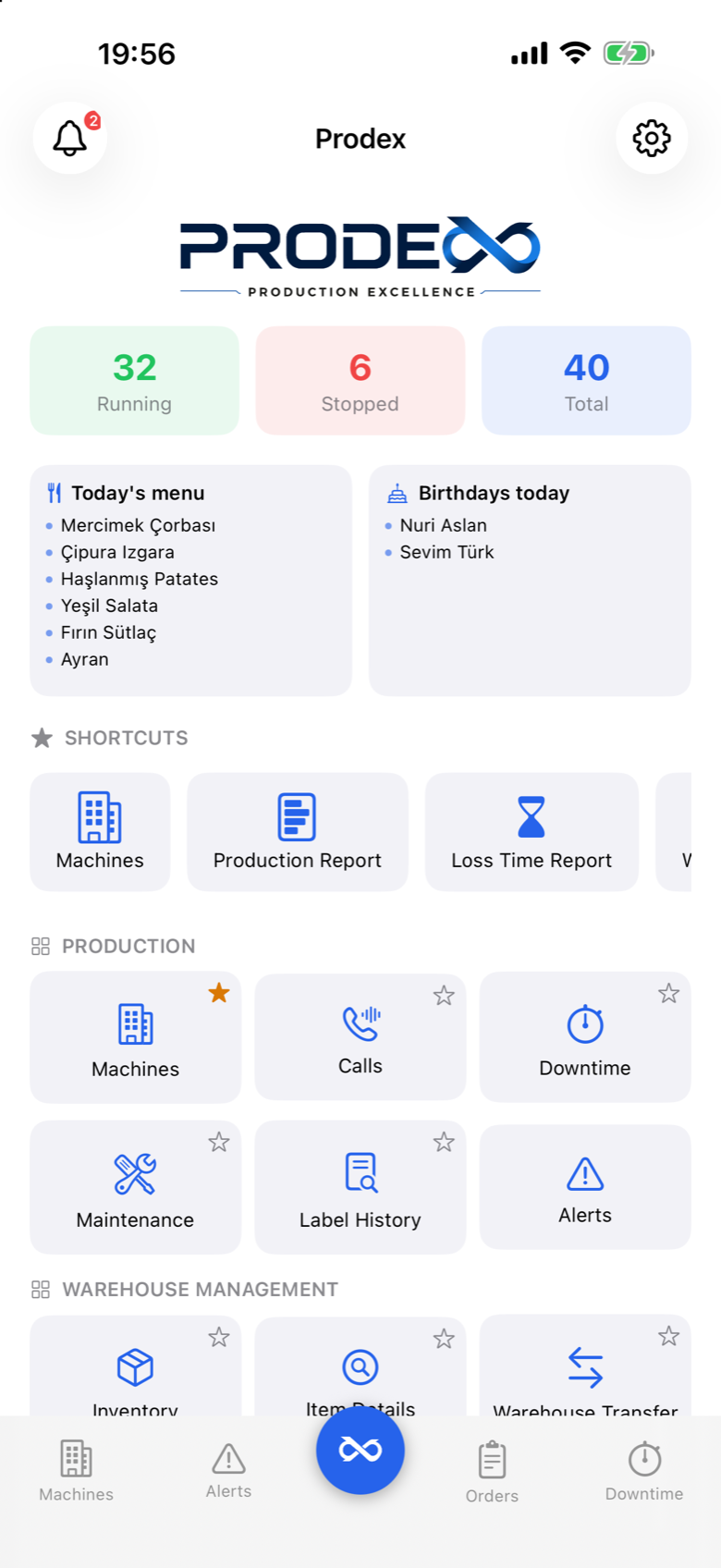
The shop floor follows you
Technicians, quality staff, warehouse teams, planners and approvers all work from the same app with the permissions of their own role. Each person reaches only the data and actions they are authorised for.
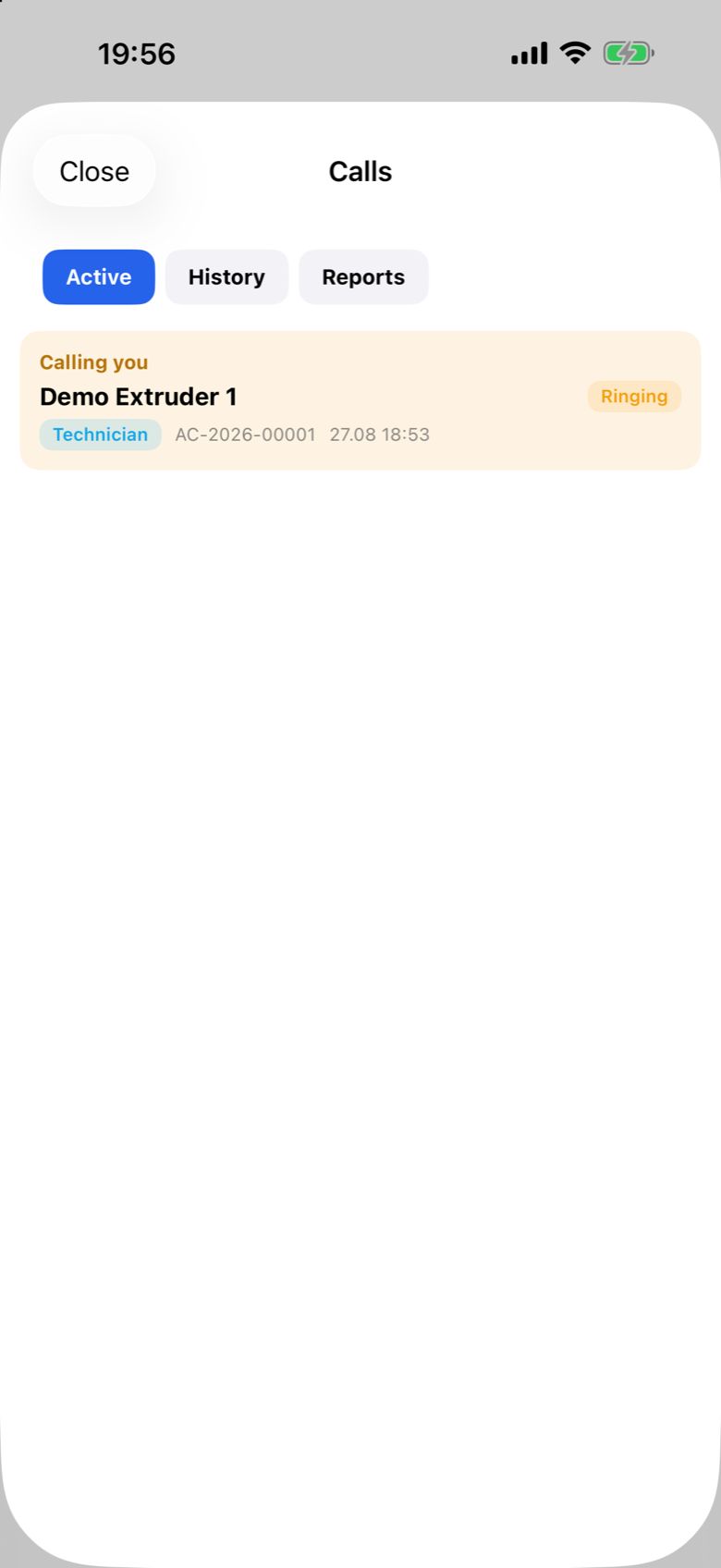
Andon calls
A support request from the shop floor reaches your phone in seconds. Accept the call, scan the machine when you arrive, hand it to a colleague, or close it with a reason.
Live machine status
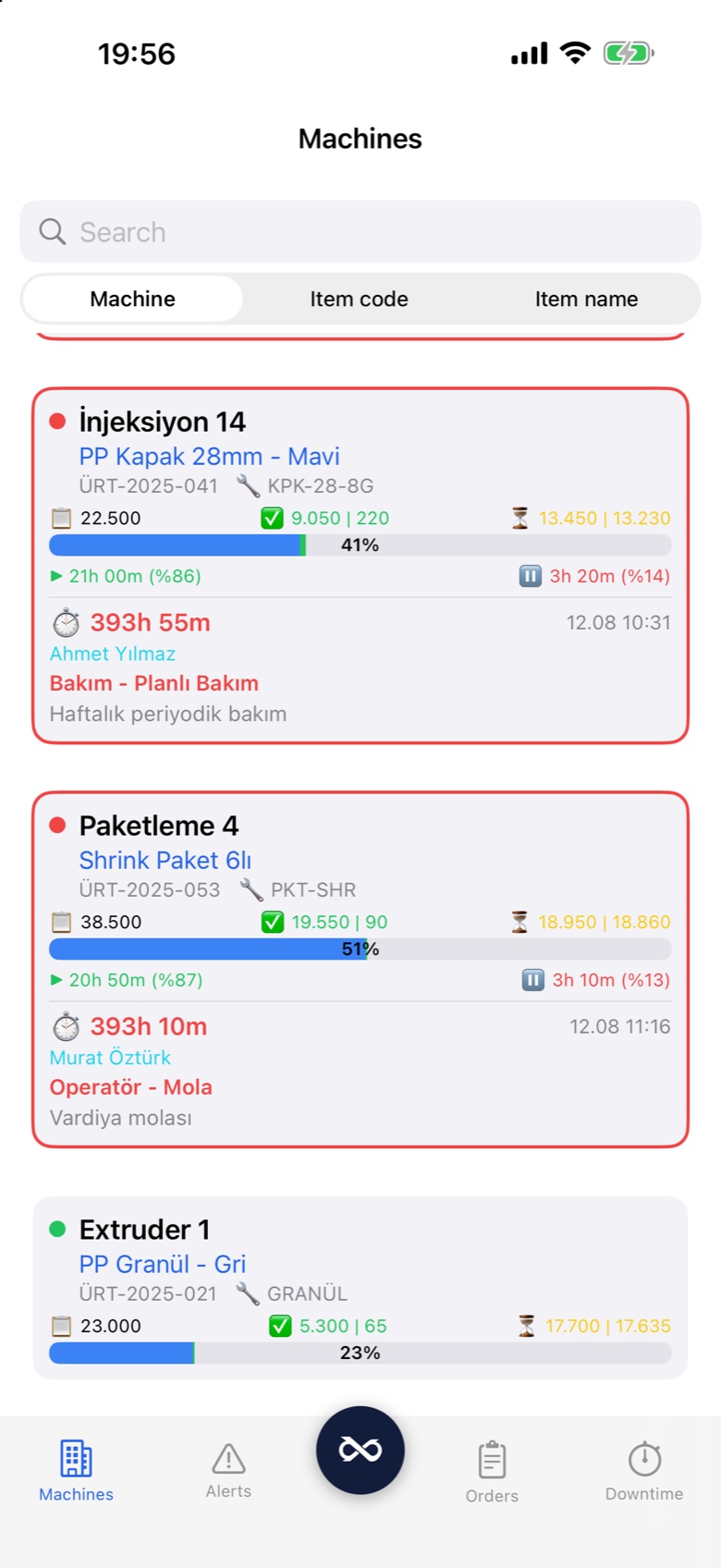
Every machine with its state, work order, OEE and counters — the same live data as the web dashboards, streamed to your phone.
Downtime on the spot
Classify a stop using hierarchical reason categories, add the spare parts you used by scanning their QR code, and attach photos.
Maintenance in the field
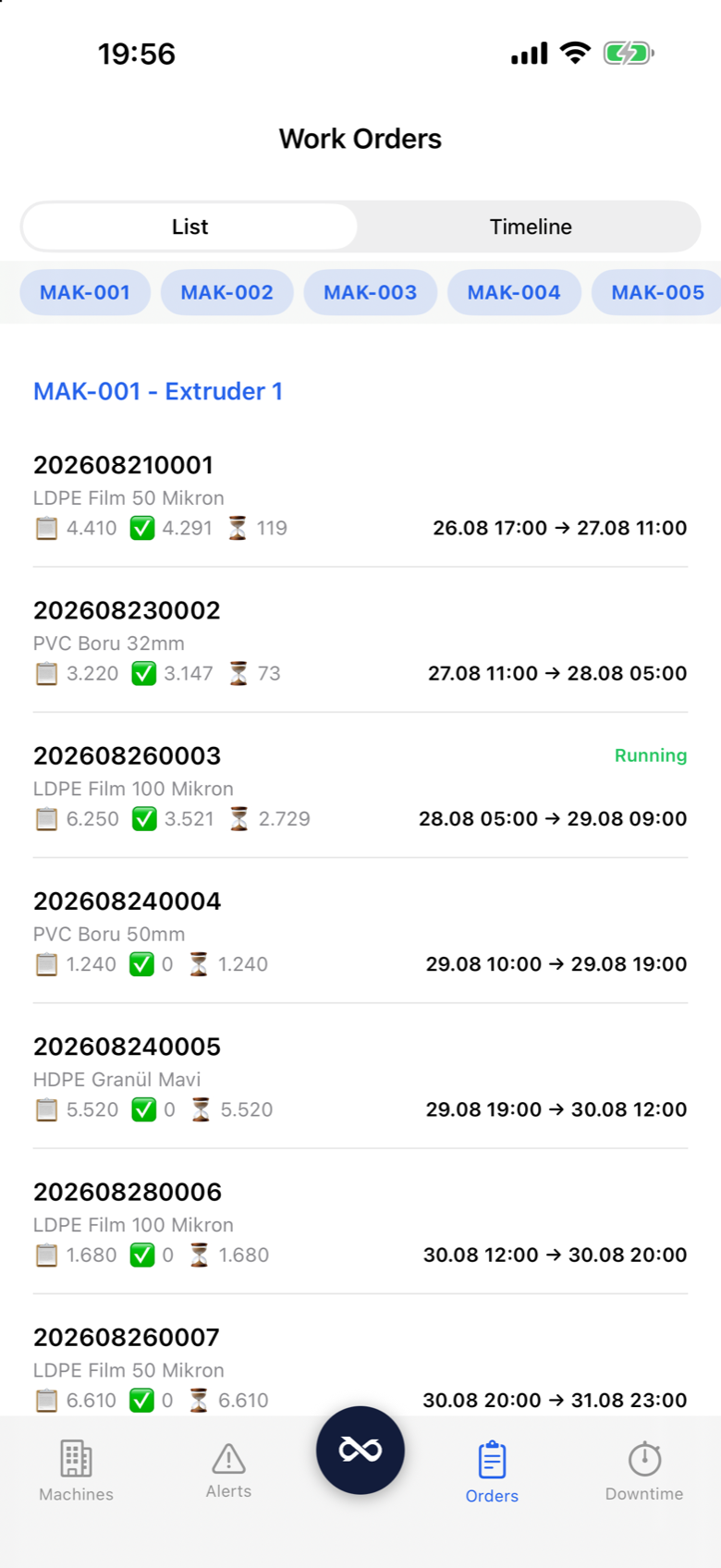
Start a work order, answer the checklist, add parts and photos, finish — or raise an unplanned job where you are standing.
The whole warehouse
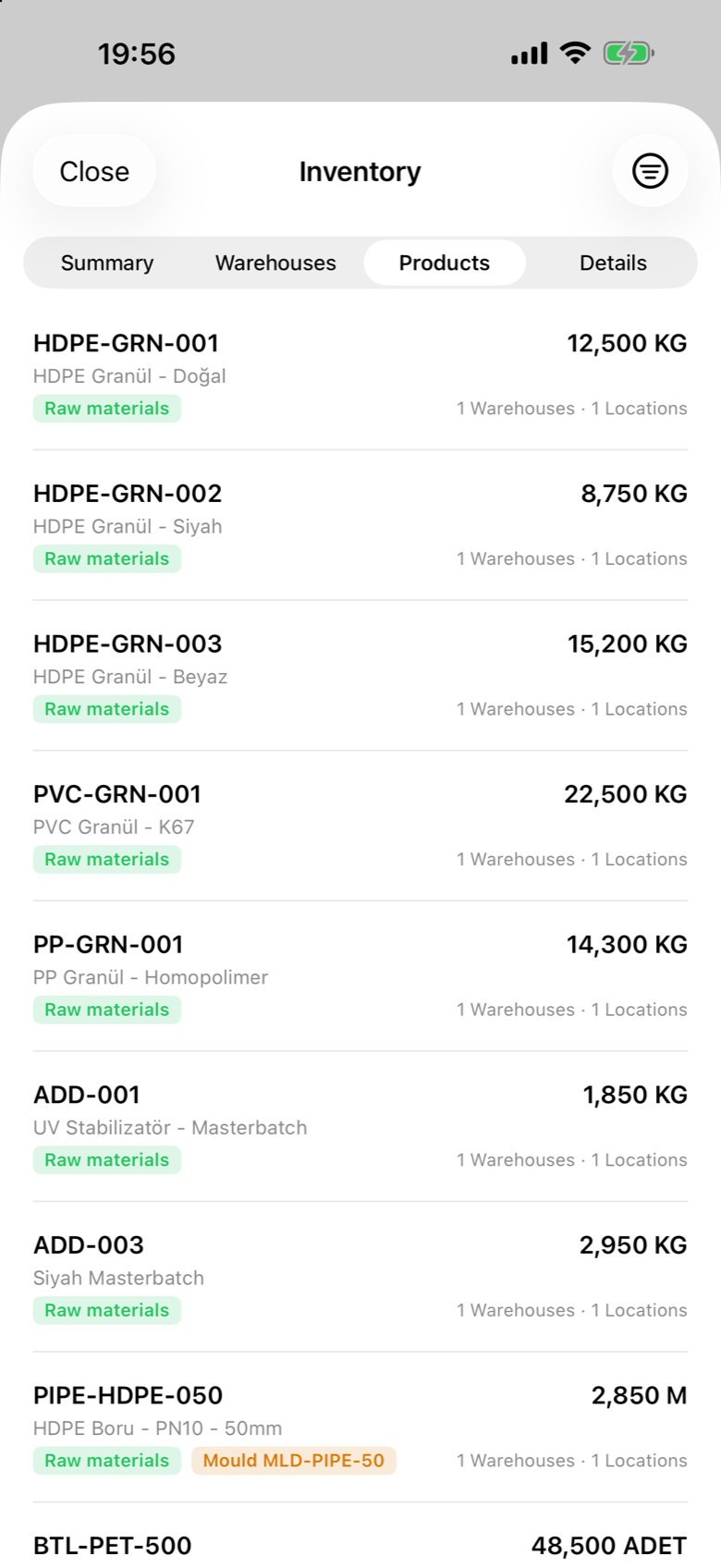
Stock by item and location, transfers, dispatch, returns, pallets, handheld counting and label printing — the WMS, on a phone.
Quality & cleaning
Field inspections with every measurement checked against its limits, cleaning controls, nonconformities with photos, and the approvals waiting on you.
The planning board
A real drag-and-drop Gantt on the phone: pick an order up, drop it elsewhere, see the knock-on effect before anything is saved.
Lot tracing
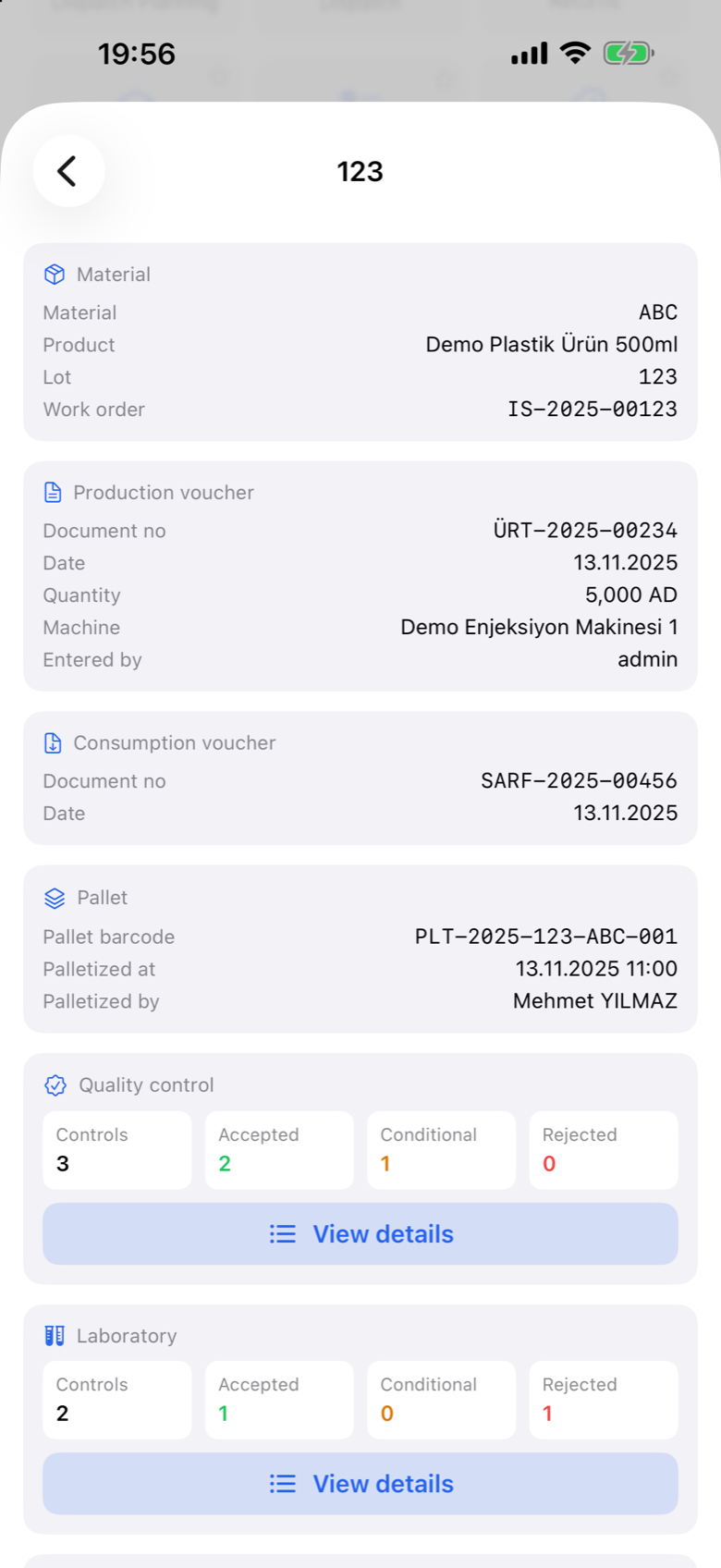
Scan or type a lot and get its whole story — what it was made from, what came out of it, and where it shipped.
Purchase approvals
Every request waiting for you, line by line with prices, VAT, supplier and photos. Approve or deny each line with a note — and raise your own.
A machine needs you. You know in seconds.
Technical and quality calls from the shop floor arrive as push notifications on the phones of the people who are on duty and qualified to answer them.
- Shift and availability aware — calls only reach people who are on duty and available
- Single call ownership — the first person to accept takes the call, and notifications to everyone else stop
- Verified response — arrival is confirmed by scanning the machine that raised the call, so response time is measured rather than estimated
- Pass it on — hand a call to another team or a named colleague and the case keeps its thread
- Closed with a reason and photos — which is what makes the call reports worth reading afterwards
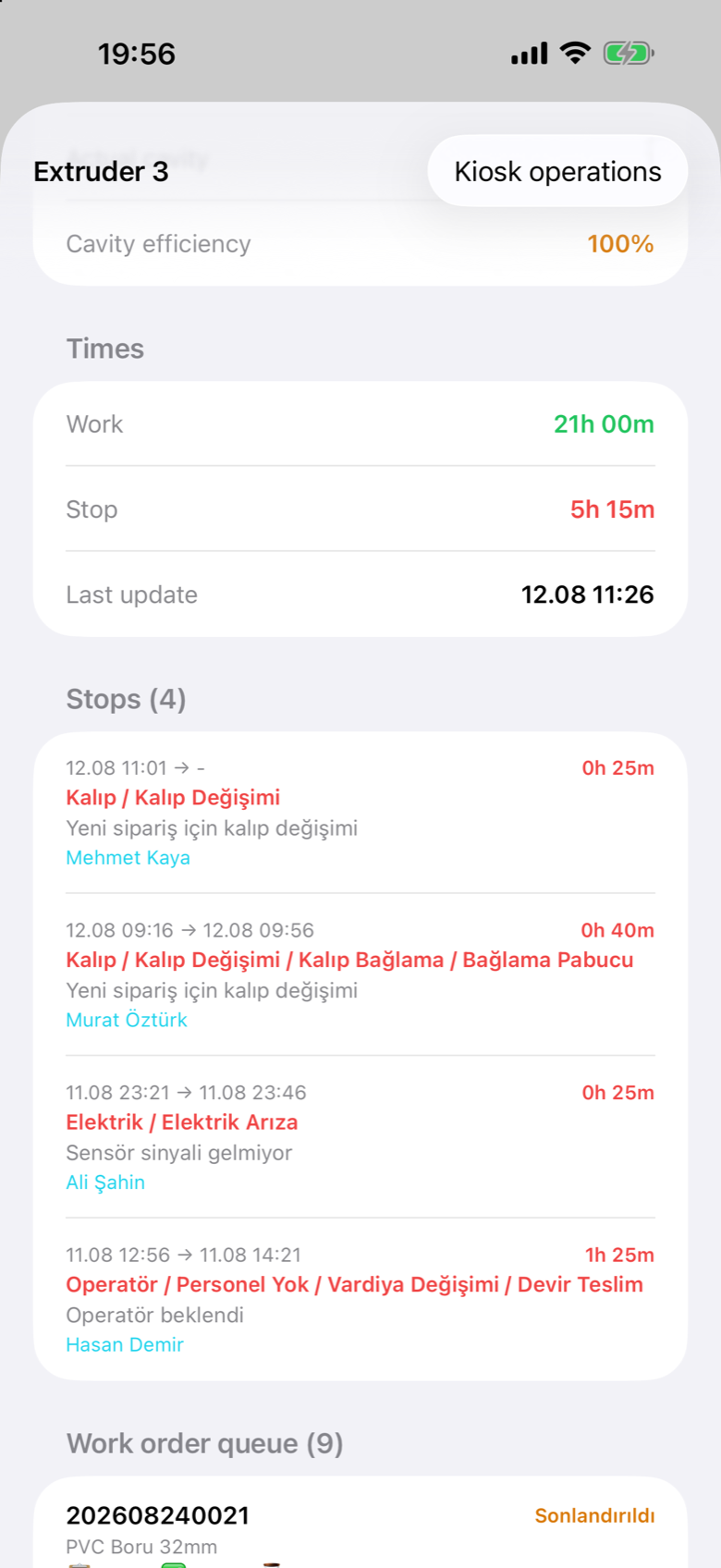
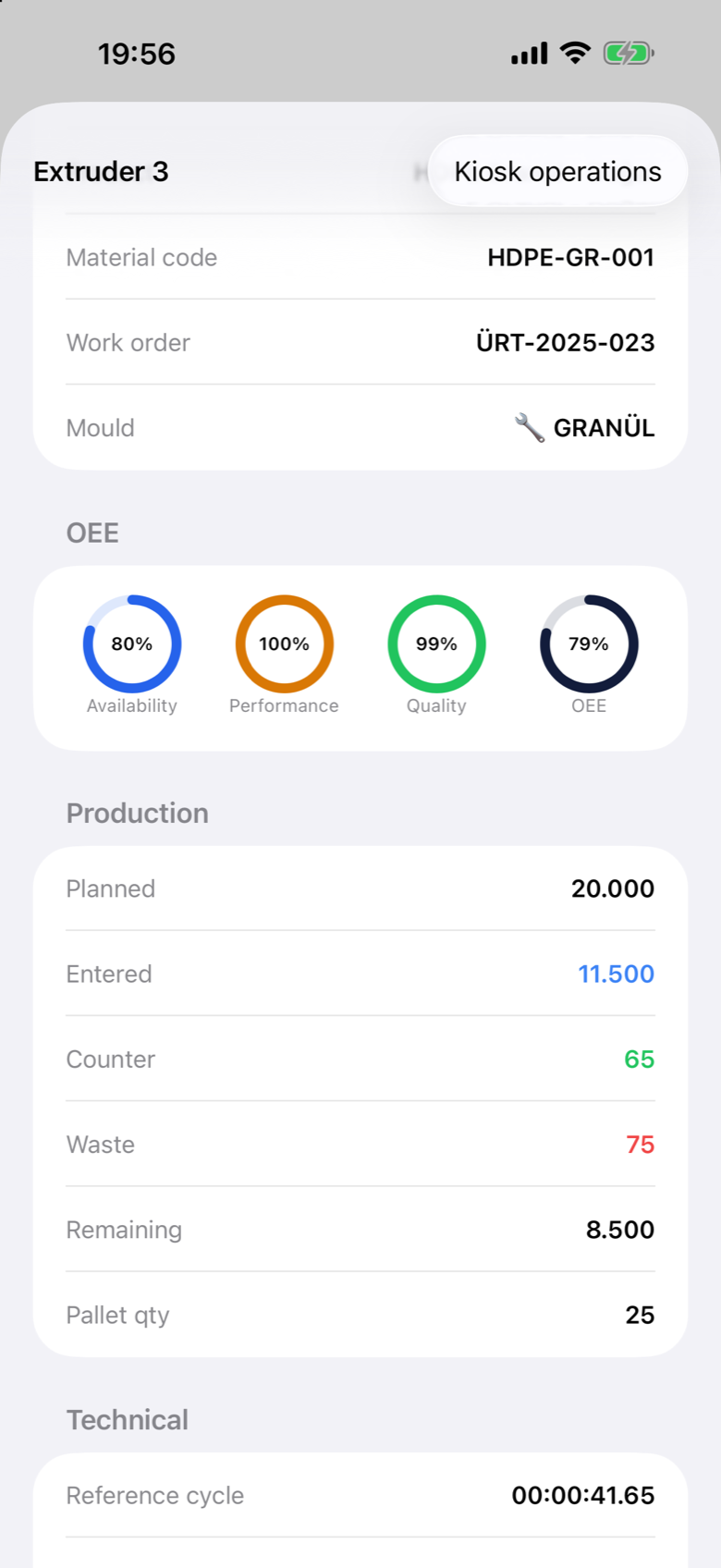
Tap a machine, get the whole story
Every machine card opens into a full detail view: live OEE gauges, production counters, the downtime history with names and reasons, and the machine's work-order queue.
- Live OEE gauges — availability, performance and quality, with reference vs. actual cycle times
- Production at a glance — planned, entered, counter, scrap, remaining and packed quantity for the running order
- Downtime history — every stop with its full reason classification, description and the person who handled it
- Kiosk operations — the shop-floor terminal's own actions, reachable from the phone when you cannot get to the machine
Warehouse work finished where you stand
The warehouse module is not a summary screen — it is the operation. Stock, transfers, dispatch, counting — done standing in the aisle with a scanner in your hand.
- Stock, to the shelf — by item and by warehouse, down to lot and location, with the full item card a tap away
- Move it — warehouse transfers, dispatch planning and loading, and returns taken back in
- Build and count — pallet building and handheld stock counting that reconciles against the ERP
- Print from where you are — send a label to any printer in the plant, and look up every label already printed
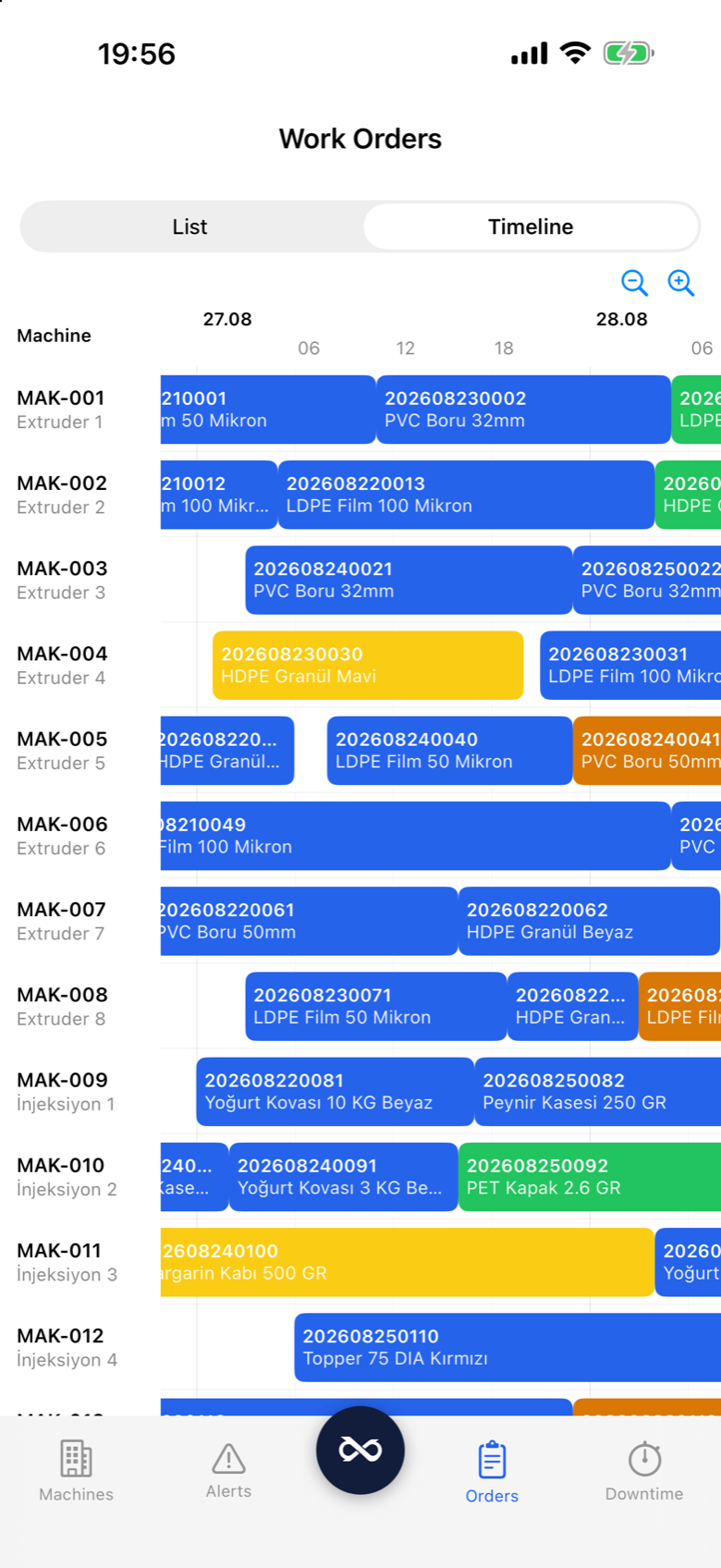
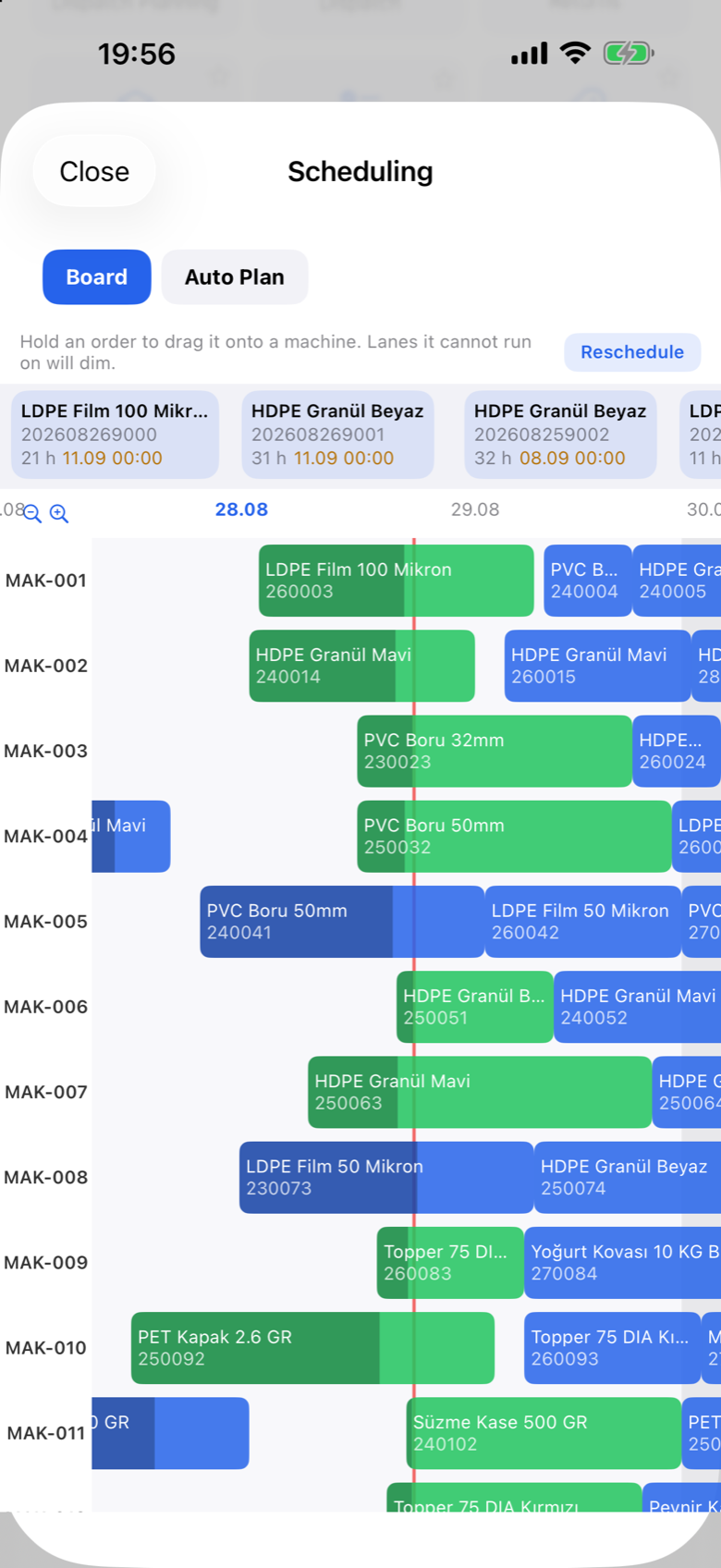
Run the production plan from the floor
Not a read-only view of the plan — the same interactive board as the web, with the same rules. Long-press an order to pick it up, drag it to another machine or another time, and nothing is written until you save.
- The rules travel with it — resource compatibility, collisions and started orders behave exactly as they do on the web Gantt
- See it before you commit — the knock-on effect of a drop is calculated and shown while the change is still pending
- Let it draft for you — run Auto Plan from the phone and review the proposal before applying it
- Raise the work too — create work orders and rework orders without going back to a desk
Quality and approvals where the work happens
Quality checks and purchase approvals are completed on the floor, so neither waits for someone to get back to a desk.
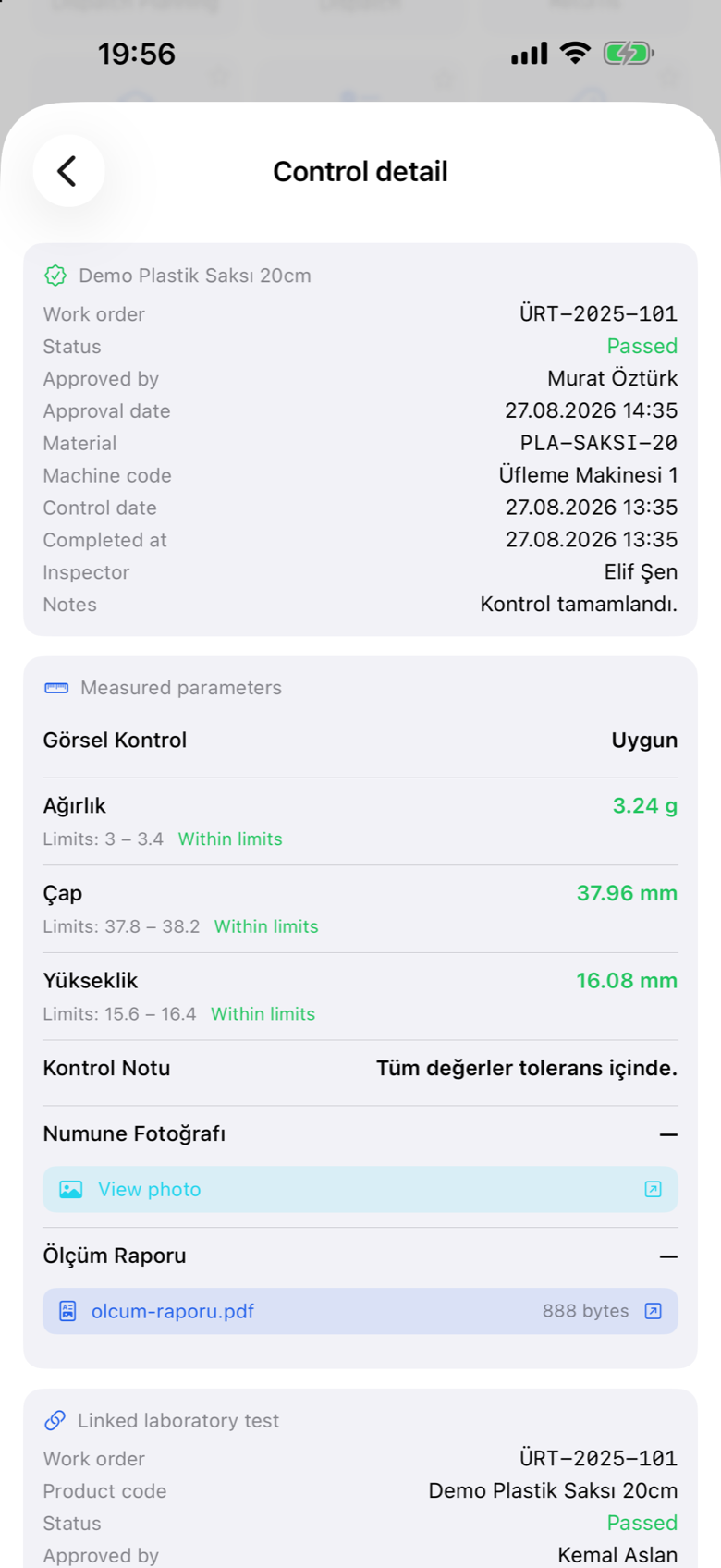
- Measurements against limits — every parameter checked as it is entered, with the verdict shown as you go
- Photos where they matter — sample images and measurement reports attached to the control record itself
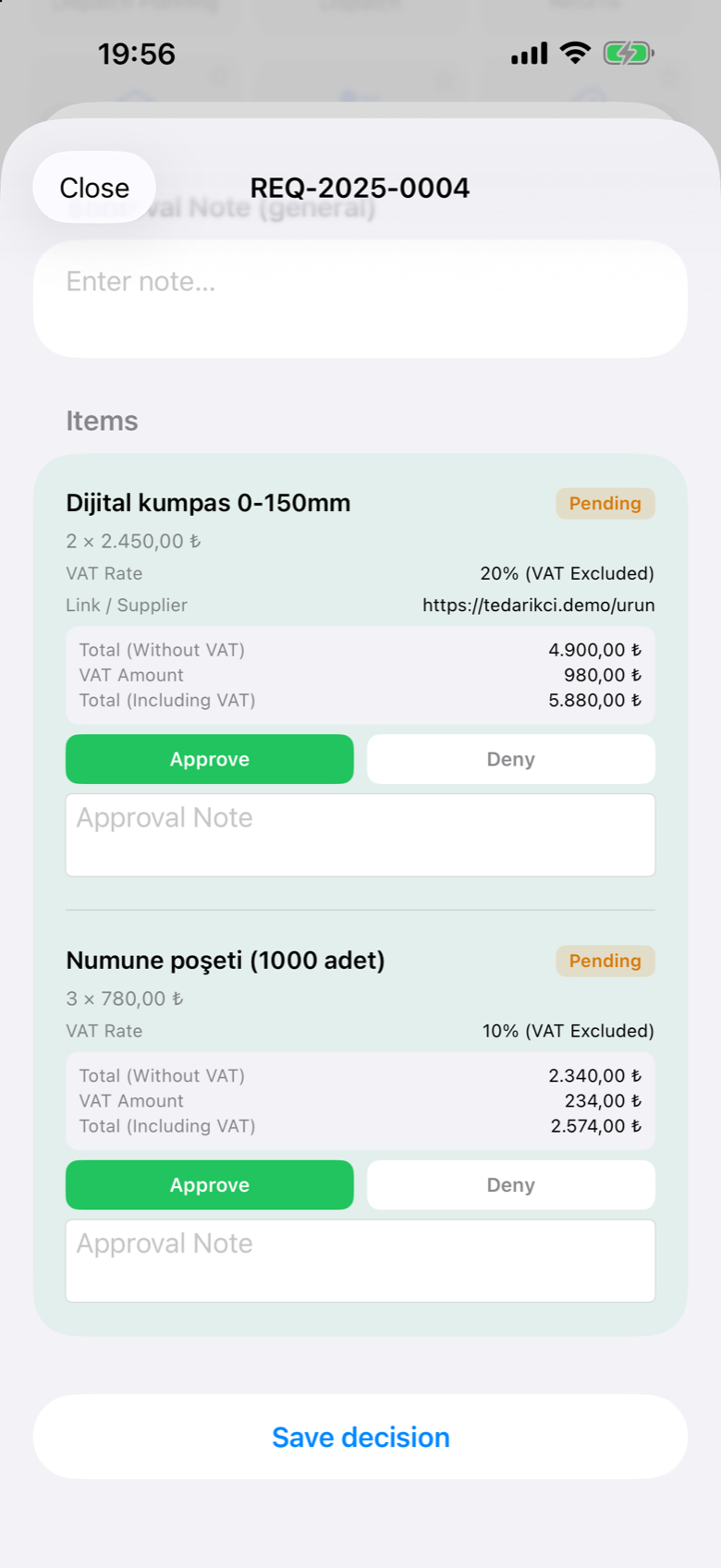
- Approve line by line — quantities, prices, VAT, supplier and notes for each line, approved or denied individually
- Your own requests too — raise a purchase request and follow exactly where it has got to
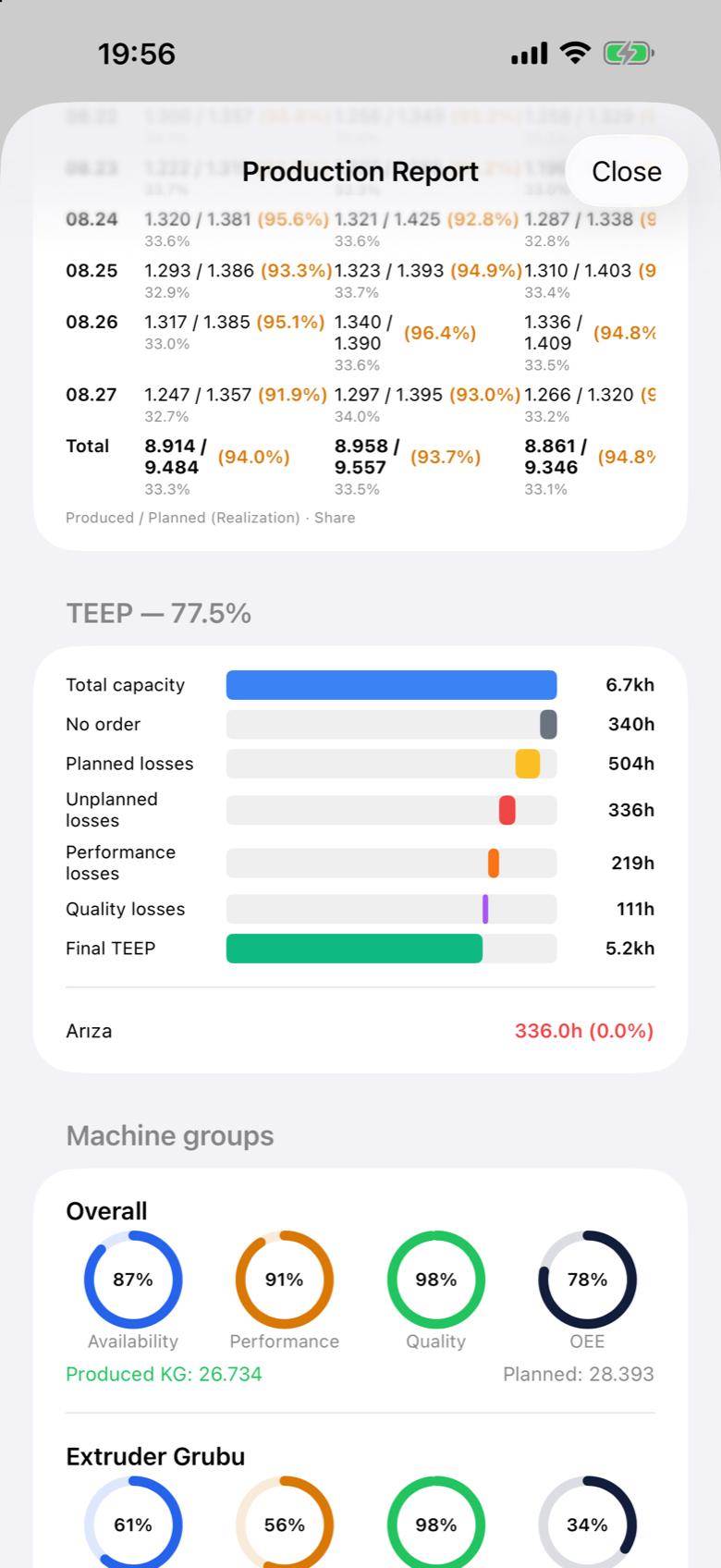
The same numbers as the boardroom
Not a cut-down mobile summary — the production report on the phone is the web report, with the same calculation and the same filters.
- OEE and TEEP — the full waterfall from total capacity to realized output, with the losses named
- Live filters — by machine, shift, product and equipment, applied without leaving the report
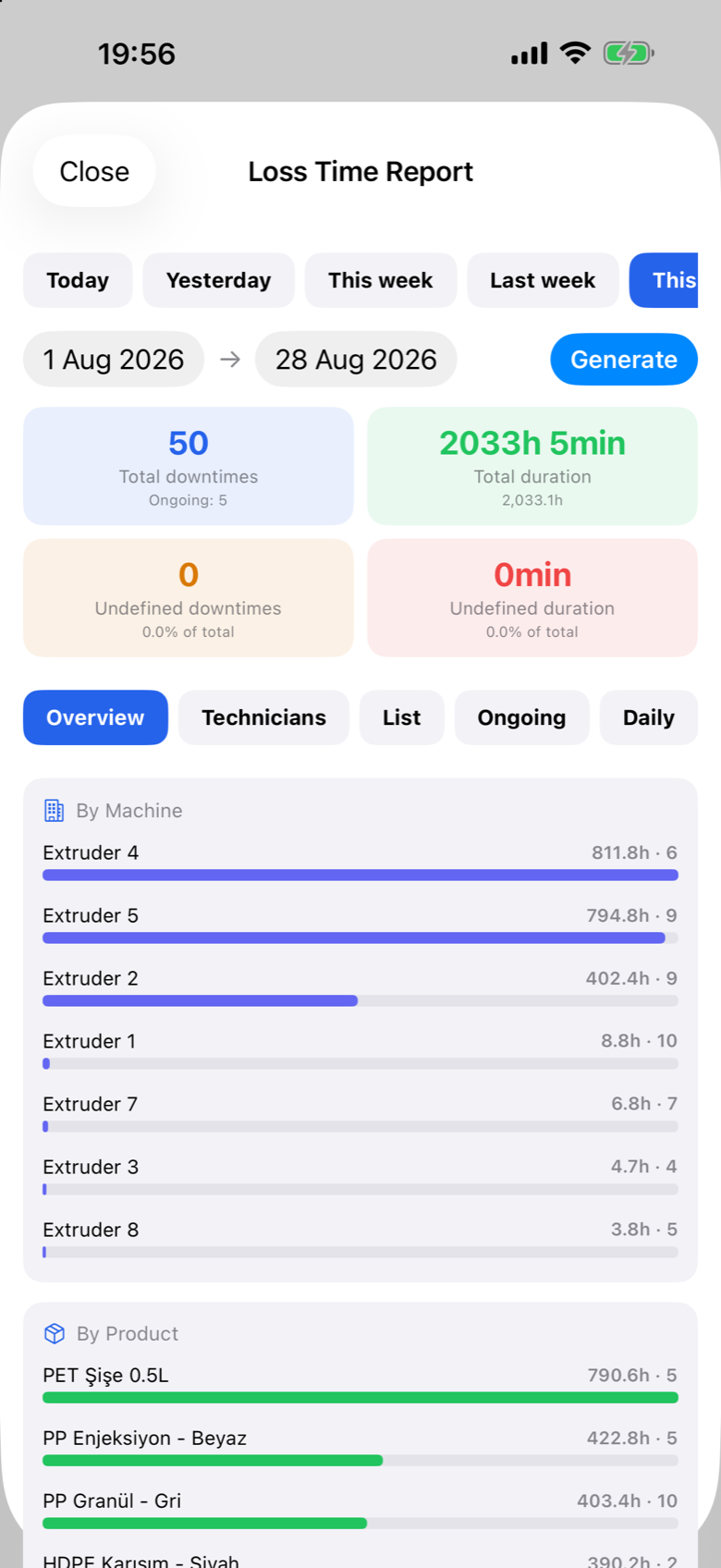
- Loss time — what stopped, for how long, and who dealt with it, by machine and by product
- Quality reports — field, laboratory, incoming and cleaning results with their pass rates
Know first, wherever you are
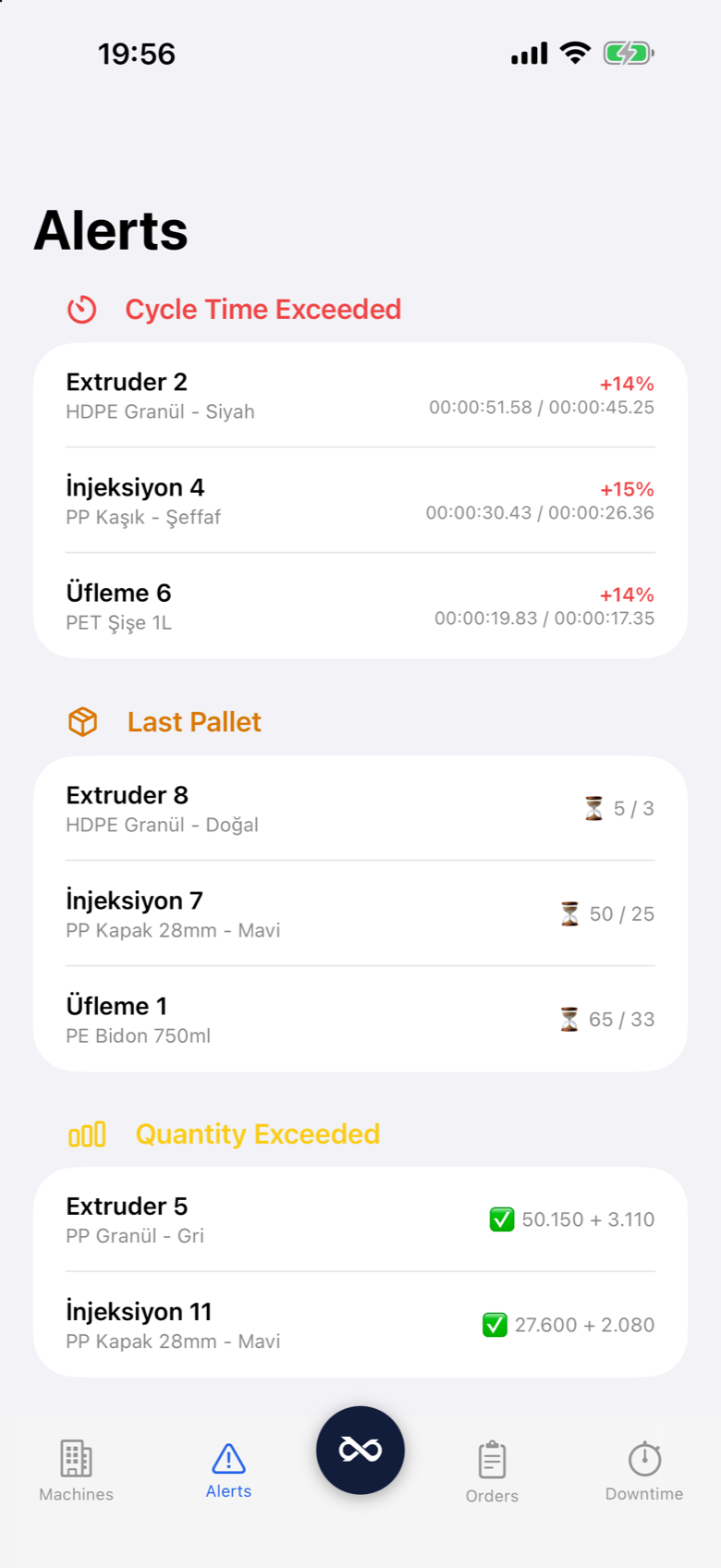
Andon calls, machine stops, approval requests and calendar reminders arrive as push notifications — rendered in each user's own language.
- In your language — every notification is stored as a key and rendered in English, Turkish or German per user
- Role-aware — alerts go to the people responsible, not to everyone
- Kept, not lost — the bell in the app holds the history, so a notification dismissed on the lock screen is still there later
Secure by default, managed by you
Prodex Mobile connects to your own on-premise server over a secure gateway. Accounts are managed by your admins, and every module is gated by the same role system as the web and the kiosk.
- Your server, your data — the app talks to your installation, not to a cloud we own
- Role-gated modules — tiles a user may not open are locked visibly, and the server enforces it either way
- Admin-managed accounts — no self-registration; access is granted and revoked centrally
- Your shortcuts, both places — star a screen on the phone and it appears on your web dashboard too
- Native on both platforms — a genuine native app on iPhone and Android
Put Prodex in your team's pocket
Prodex Mobile is included with your Prodex installation. Download it and try it against our live demo factory — no account needed.