Real-time control of every machine
Machine counters stream into Prodex over MQTT and become live dashboards, OEE scores and automatic downtime records. No clipboards, no end-of-shift surprises.
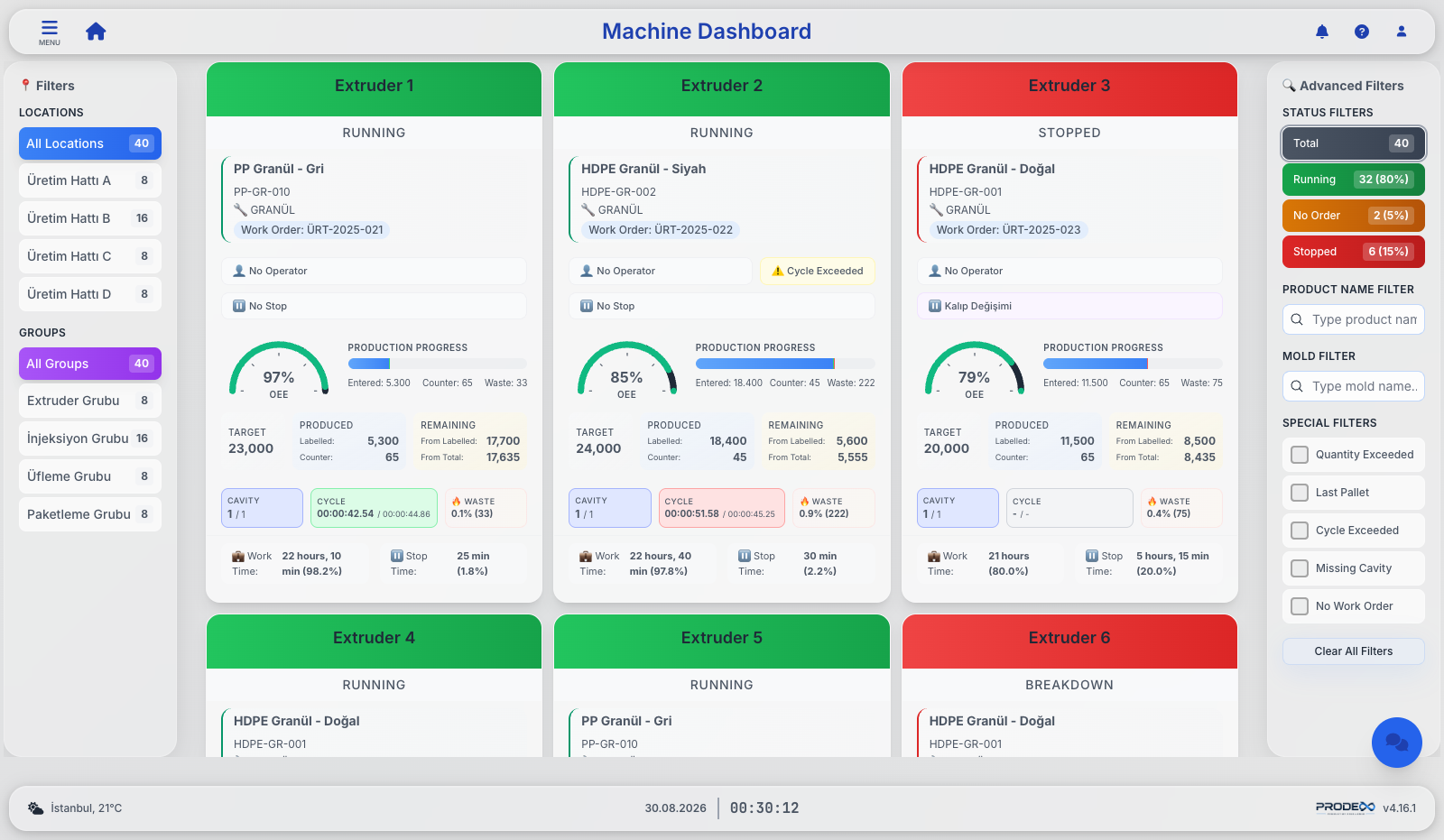
Live OEE per machine
Availability, performance and quality are calculated continuously from machine data, with target and actual cycle times showing production performance live.
Automatic downtime
When a machine counter stops, Prodex opens a downtime record automatically. Operators classify it afterwards using hierarchical reason categories that match how your plant is organised, confirmed by a supervisor.
Configurable alerts
Real-time alerts you configure yourself, based on produced quantity, cycle time, work order status and process conditions — with filtered views and pulsing andon warnings.
Andon TV screens
Login-free full-screen boards built for continuous shop-floor display: stopped machines with reasons, alert zones, daily KG and OEE — refreshed continuously.
Work-order deep dive
Per-order analysis: KPI cards, cycle trends against reference, downtime breakdowns, operator work time and linked quality approvals.
Production reports
TEEP waterfall from total capacity to realized output, daily production vs. plan, and fully transparent OEE and capacity calculation details.
Stops, in full detail
Performance analysis shows the full reason classification of every stop, the description, the spare parts used and what they cost, together with the people who opened the stop and completed the detail.
Live work-order states
Green for running, red for stopped, and the cases that need attention in orange: idle when it should be running, running another order when it should be running this one, or past its planned window with the order still open.
Waste with a reason
Scrap and raw-material waste are both entered with a reason code and an operator behind them, posted as proper consumption documents and listed on one page with product / raw-material filters and Excel export.
A touch terminal at every machine
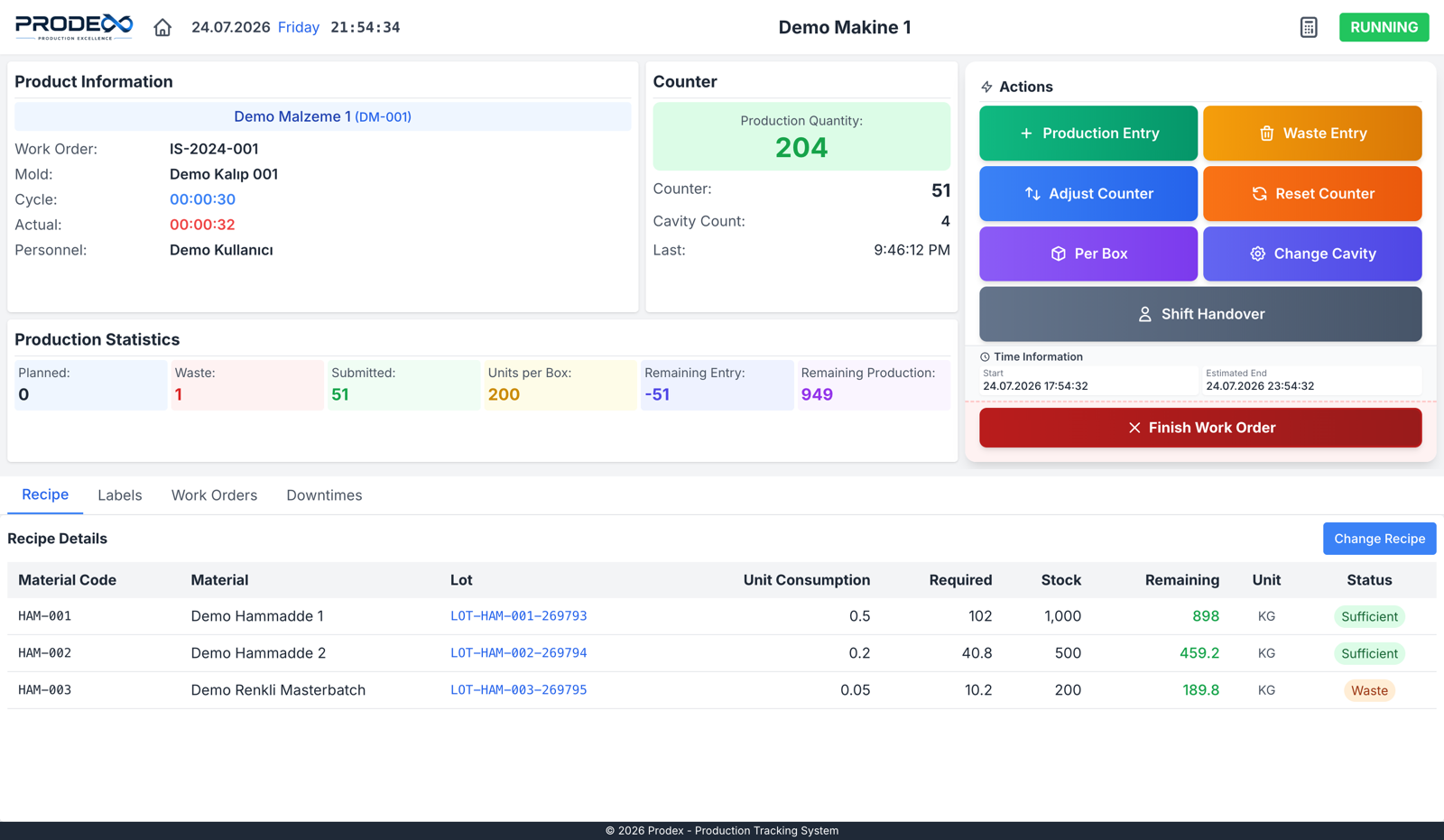
Operators run their entire shift from a rugged touch kiosk: user authentication, production and scrap entry, recipes, work orders, labels and downtime all in one interface. Sign-in is by RFID badge, so every transaction knows exactly who did what — and technicians use the same terminal to record stops, maintenance and the parts they fitted.
- Flexible production entry — quantities are recorded in the units the plant actually works in and converted to the base unit automatically, capped by what the counter really produced
- Label printing — WYSIWYG label designer, silent printing, reprint archive with full audit
- Stock-shortage guard — missing components pop a detailed modal and WhatsApp the warehouse team with a screenshot
- Recipe, work-order queue and downtime tabs — everything an operator needs, in their language
- Language on the spot — a flag next to the clock switches the kiosk between Türkçe, English and Deutsch, remembered per terminal
- The plan, on the machine — a full-screen work-order view with a touch list per machine and a zoomable timeline with day markers and a now line
- Counter resets that cannot lie — resets are rebased in the database rather than trusting the device to hear the signal, so a missed reset never invents production
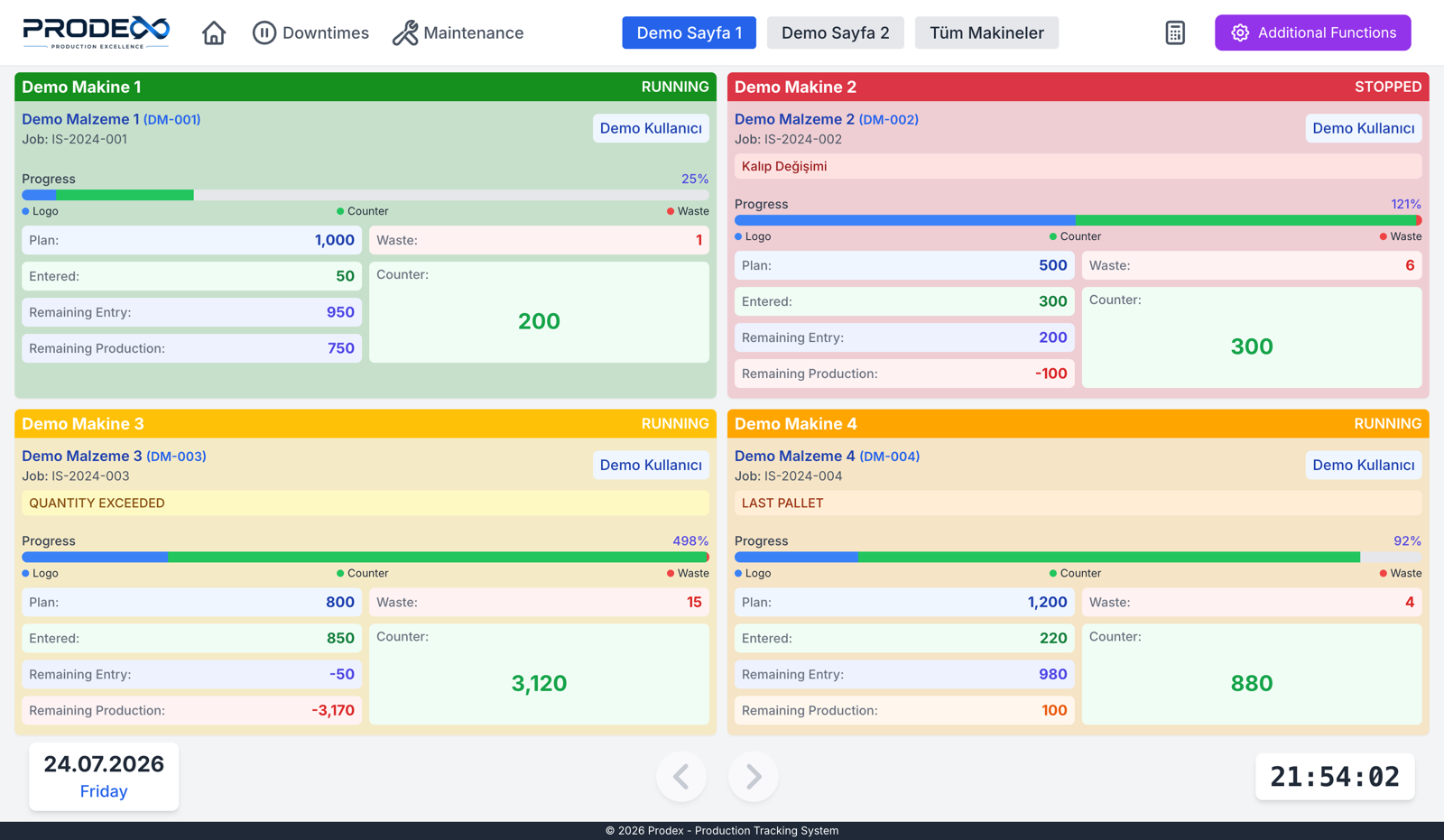
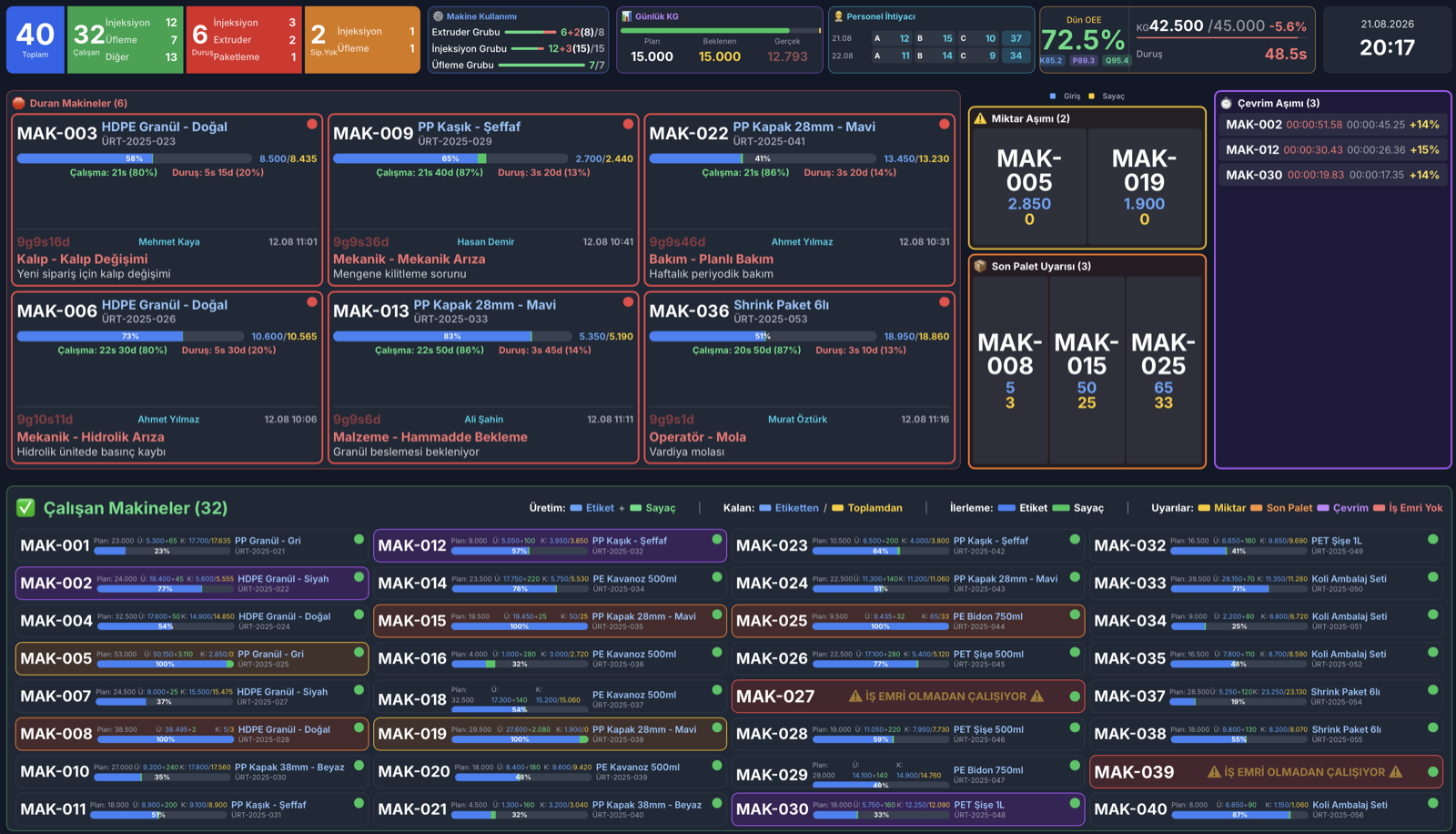
The whole plant, on one wall
Public, login-free TV boards optimised for round-the-clock use on the shop floor, running on supported displays including Android TV. Stopped machines with their reasons, alert zones, daily kilograms, yesterday's OEE and staff announcements.
- Configurable alert zones — visual warnings driven by produced quantity, cycle time, work order status and process conditions; each machine pulses in the colour of its state
- Andon calls — requests for technical or quality support from the shop floor are routed to the right people for the shift
- WhatsApp snapshot — ask the assistant for "andon" and get a live screenshot of this board
Shop-floor calls reach the right team instantly
Operators can request technical or quality support from the machine. Prodex routes the call to the right team based on shift, skill and availability, and records acceptance, response and resolution times automatically.
- It rings until somebody takes it — the call re-notifies on an interval and times out if nobody responds, so a call cannot quietly go unanswered
- Shift and availability aware — calls only reach people who are on duty and available
- Single call ownership — the first person to accept takes the call, and notifications to everyone else stop
- Verified response — arrival is confirmed by scanning the machine that raised the call, so response time is measured rather than estimated
- Hand it on properly — pass a call to another team or a named colleague; the case keeps its thread so the whole story stays together
- Recorded resolution — every call is closed with a reason from your own list, with photos where they help, which is what makes the reporting worth reading
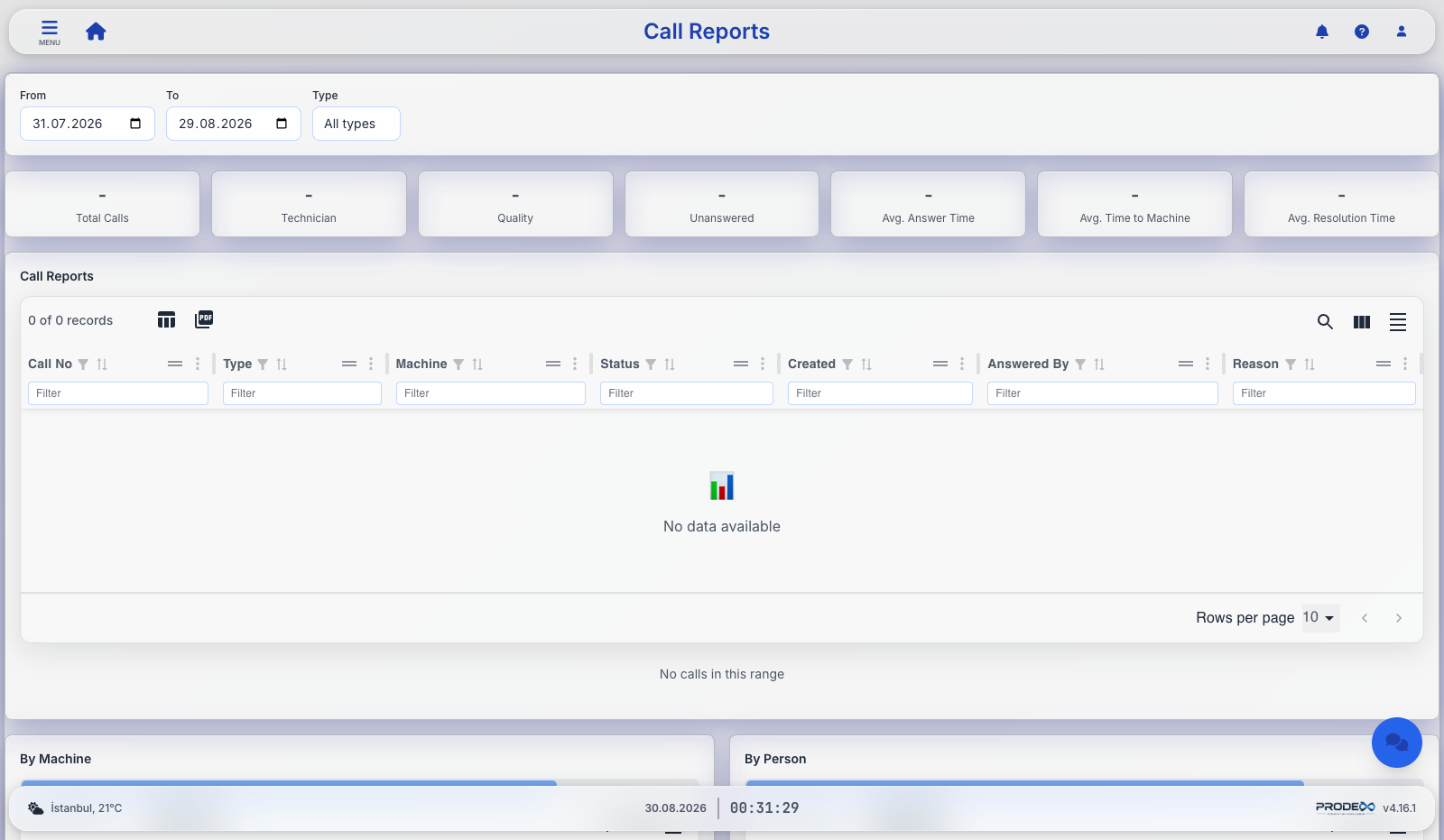
How long did they actually wait?
Because every call is timestamped from press to arrival to close, response time stops being an argument and becomes a number.
Response and resolution
Time from the button press to acceptance, to arrival at the machine, to the call being closed — per machine, per team, per shift.
The machines that keep calling
Repeat callers and the reasons behind them, which is usually where the next maintenance plan comes from.
Stops that page themselves
A new machine stop notifies the technicians who are on site, so the long stops are the ones nobody noticed — not the ones nobody was told about.
Ready to see Prodex on your own lines?
Get a guided demo with your own production scenarios — on-premise, with your ERP, in your language.